Author: Admin

  • Radiology Follow-Up Tracking Software for Connected Imaging Workflows

    Radiology Follow-Up Tracking Software for Connected Imaging Workflows

    Home / EMR Software / Radiology Management / Radiology Follow-Up Tracking
    Radiology Workflow Management

    Radiology Follow-Up Tracking Software for Connected Imaging Workflows

    Keep radiology orders, imaging appointments, examination progress and patient follow-up workflows organised with a connected radiology management approach.

    HealthCluster helps healthcare providers evaluate digital radiology workflows for hospitals, diagnostic departments and outpatient imaging centres. Bring scheduling, examination tracking, reporting and patient information into a coordinated workflow based on your facility’s requirements.

    For radiology departments, diagnostic centres and outpatient imaging providers evaluating healthcare software in the UAE.
    HealthCluster Radiology
    Workflow overview
    Radiology Worklist Overview
    01 Orders
    02 Scheduled
    03 Follow-ups
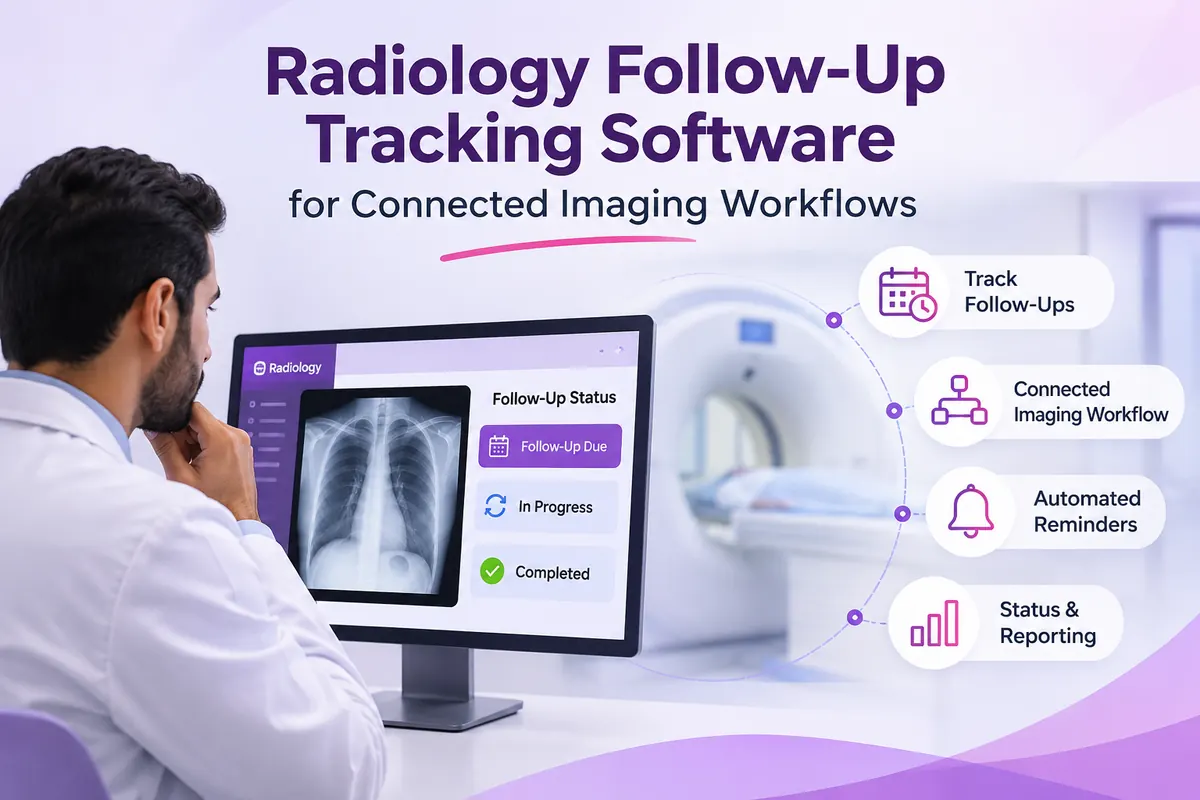
    Imaging Workflow Example
    Radiology Order Order received and reviewed
    Received
    Imaging Appointment Scheduling and preparation
    Scheduled
    Examination Status Procedure completion tracking
    In progress
    Report Follow-Up Pending review or next action
    Follow-up

    Illustrative workflow concept only. Not a live product screenshot or actual operational dashboard.

    What Is Radiology Follow-Up Tracking?

    What Is Radiology Follow-Up Tracking Software?

    Radiology follow-up tracking software helps healthcare teams monitor the progress of imaging orders, appointments, examinations, reports and required next actions. It gives radiology departments a structured way to identify pending steps, coordinate worklists and maintain visibility across the imaging journey. The exact tracking capabilities depend on the software configuration and connected systems.

    A radiology workflow can involve several teams, including referring clinicians, radiology coordinators, imaging technologists, radiologists and administrative staff. When these activities are managed across disconnected systems or manual registers, it can become difficult to understand which stage an imaging request has reached.

    A connected radiology workflow helps teams review the status of an order, coordinate imaging appointments, track examination completion and identify reports or patient actions that still require attention.

    Radiology Department Challenges

    Why Do Radiology Teams Need Better Follow-Up Tracking?

    Imaging workflows involve multiple steps. Without clear status visibility, staff may spend additional time checking order progress, appointment availability and pending reports.

    01

    Unclear Order Status

    Staff may need to contact different teams to confirm whether an imaging order has been received, scheduled, completed or reported.

    02

    Missed Follow-Up Actions

    Pending examinations, incomplete documentation and reports awaiting review can be difficult to monitor without structured worklists and responsibility tracking.

    03

    Scheduling Conflicts

    Multiple imaging modalities, practitioner availability and appointment preparation requirements make coordination important.

    04

    Disconnected Patient Information

    When patient details, clinical orders, imaging studies and reports are separated, teams may need to navigate multiple systems.

    05

    Limited Operational Visibility

    Managers may find it difficult to review pending work, examination progress, reporting queues and department workload.

    06

    Manual Coordination

    Phone calls, spreadsheets and paper-based lists can make it harder to maintain consistent communication between clinical and administrative teams.

    Core Search Intent

    How Does Radiology Follow-Up Tracking Software Work?

    Follow-up tracking should provide a clear view of each imaging request from order entry to examination completion and report availability. A suitable solution should allow teams to identify pending actions and understand who is responsible for the next step.

    1

    Radiology Order Received

    Capture the imaging request, patient details, referring information and requested procedure.

    2

    Appointment Coordination

    Review the required modality, appointment availability, preparation requirements and scheduling status.

    3

    Examination Tracking

    Monitor the examination worklist and update the procedure status according to the agreed workflow.

    4

    Report and Follow-Up

    Track report completion, review requirements and any next actions that need coordination.

    Follow-up tracking should support operational coordination. It should not replace clinical interpretation, radiologist judgement or the facility’s clinical escalation protocols.
    Follow-Up Tracking Capabilities

    Key Features to Look for in Radiology Follow-Up Software

    When comparing radiology follow-up tracking software, assess whether the solution can support the following workflow requirements for your imaging department.

    01

    Radiology Order Tracking

    Review order status, patient details, requested procedures, referring information and order progress.

    02

    Pending Examination Worklists

    Identify examinations awaiting scheduling, preparation, performance, completion or further action.

    03

    Report Status Visibility

    Review whether imaging reports are pending, in progress, verified or available for the next workflow step.

    04

    Follow-Up Responsibility

    Evaluate options for assigning pending actions, identifying responsible users and recording status updates.

    05

    Patient and Encounter History

    Review relevant patient information, previous encounters, imaging orders and available reports.

    06

    Operational Reporting

    Assess reporting for pending orders, appointment status, examination workload and reporting progress.

    Radiology Scheduling Software

    Radiology Scheduling Software for Imaging Appointments

    Radiology scheduling software helps coordinate imaging appointments based on procedure requirements, modality availability and department workflows. It should help staff manage appointment requests and maintain visibility into the imaging schedule.

    ▦

    Modality-Based Scheduling

    Evaluate scheduling by imaging modality, procedure type, room availability and operational requirements.

    ◷

    Appointment Availability

    Review appointment slots, scheduling conflicts, rescheduling and cancellation workflows.

    ✓

    Patient Preparation

    Consider how preparation instructions, screening requirements and appointment reminders are managed by the facility.

    ↔

    Connected Clinical Orders

    Evaluate whether appointments remain connected to the original radiology order and patient encounter.

    A scheduling solution should be assessed against the imaging centre’s modality mix, operating hours, appointment durations, preparation protocols and staffing model.

    Outpatient Imaging Center Software

    Software for Outpatient Imaging Centres

    Outpatient imaging centres manage patient appointments and diagnostic procedures outside a traditional inpatient setting. Their software requirements often include registration, order management, scheduling, examination workflows, reporting and billing coordination.

    01

    Patient Registration

    Organise patient demographics, contact information, referral details and relevant clinical records.

    02

    Referral and Order Management

    Review referring clinician details, imaging requests, procedure selection and order status.

    03

    Imaging Appointment Management

    Coordinate patient appointments with modality, room and staff availability.

    04

    Examination Workflow

    Monitor examination status and coordinate the steps involved in completing an imaging procedure.

    05

    Reporting and Image Access

    Evaluate report workflows and access to imaging studies through connected systems where supported.

    06

    Billing and Revenue Workflows

    Review service charges, payer requirements, invoices and financial reporting needs.

    Clinical Imaging Data Management

    Manage Clinical Imaging Data Across the Patient Journey

    Clinical imaging data management involves organising the information associated with imaging requests, examinations, studies and reports. A connected workflow should help authorised healthcare teams access the information they need within their defined roles and responsibilities.

    Patient and Imaging Order Information

    Maintain a clear relationship between patient records, encounters, referring information and imaging requests.

    Imaging Study Access

    Evaluate access to imaging studies through suitable PACS and imaging integrations.

    Radiology Report Management

    Review how preliminary, verified and final report information is handled in the workflow.

    Historical Imaging Information

    Consider access to previous imaging studies and reports where connected systems and permissions allow.

    For PACS, RIS, DICOM and imaging archive connectivity, confirm supported standards, vendor compatibility, storage arrangements, data exchange scope and implementation responsibilities.
    Connected Radiology Technology

    How Do RIS, PACS and EMR Work Together?

    RIS, PACS and EMR systems support different parts of the radiology and patient-care workflow. Understanding their roles can help healthcare providers evaluate the right combination of technology.

    System Main Purpose Evaluation Consideration
    RIS Radiology information and workflow management Orders, appointments, examination status and reporting workflows
    PACS Medical image storage, retrieval and viewing Imaging study access, archive, viewer and image exchange
    EMR Electronic patient records and clinical information Patient history, clinical orders, reports and encounter information

    A connected radiology environment can reduce the need to manage clinical and imaging information in isolation. Buyers should confirm which integrations are available, whether they are bidirectional and what data is exchanged.

    Technical reference: DICOM Standard for information about medical imaging data and communication standards.

    Enterprise Radiology Operations

    Radiology Workflow Management for Hospitals and Multi-Facility Groups

    Hospitals and enterprise healthcare groups may operate multiple imaging departments, facilities and diagnostic services. Their radiology technology should be evaluated for consistent processes, user responsibilities and operational visibility.

    Multi-Facility Workflows

    Assess how radiology orders and appointments are coordinated across different facilities.

    Role-Based Responsibilities

    Review access and workflow responsibilities for radiologists, technologists and administrative staff.

    Operational Reporting

    Evaluate worklists, pending examinations, reporting progress and management reporting needs.

    Integration Planning

    Identify connections with EMR, HIS, RIS, PACS, billing and external healthcare systems.

    Software Buying Guide

    How to Choose the Best Radiology Follow-Up Tracking Software

    Before purchasing radiology software, identify your department’s current workflow challenges and the capabilities required to address them. Use these criteria when comparing vendors.

    • 1. Radiology Order Lifecycle Check how the software manages order creation, review, scheduling, cancellation and completion.
    • 2. Follow-Up Worklists Confirm how pending examinations, reports and next actions are identified and monitored.
    • 3. Imaging Scheduling Evaluate modality-based scheduling, availability, rescheduling and preparation workflows.
    • 4. RIS and PACS Integration Confirm supported interfaces, image access, DICOM compatibility and integration responsibilities.
    • 5. EMR and HIS Connectivity Review how patient information, orders, encounters and reports are exchanged.
    • 6. Reporting and Analytics Identify the operational reports and dashboards required by radiology leadership.
    • 7. Privacy and Security Review access controls, audit trails, data protection, backup and recovery arrangements.
    • 8. Implementation and Support Confirm data migration, configuration, testing, user training and post-go-live support.
    Compare Your Options

    Radiology Follow-Up Software vs Manual Tracking

    The right system should provide better visibility into imaging workflow stages and help teams coordinate responsibilities. Compare the operational approach before selecting a solution.

    Workflow Area Manual Tracking Digital Workflow Approach
    Order status Manual calls, spreadsheets or registers Centralised order status view, if supported
    Appointment management Separate calendars or manual coordination Structured appointment workflows
    Examination worklists Manually maintained lists Digital worklists and status updates
    Report progress Manual status checks Report workflow visibility, if integrated
    Management oversight Manual consolidation Structured operational reporting

    Actual results depend on implementation, staff adoption, integrations and the quality of workflow configuration.

    UAE Healthcare Providers

    Radiology Management Software for Imaging Centres Across the UAE

    Healthcare providers in the UAE should assess radiology software against their facility model, imaging services, operational requirements and applicable local regulations. The right implementation scope may differ between hospitals, standalone diagnostic centres and multi-location imaging groups.

    Dubai

    Evaluate radiology scheduling, examination tracking, reporting workflows and integrations for diagnostic and outpatient imaging facilities.

    Abu Dhabi

    Review facility-specific requirements, patient data exchange needs and applicable healthcare information governance requirements.

    Sharjah and Northern Emirates

    Assess patient registration, radiology orders, imaging schedules and reporting workflows based on the operating model of your facility.

    Regulatory compliance, data hosting and healthcare information exchange requirements should be verified with the relevant authorities and stakeholders before implementation.

    HealthCluster Healthcare Technology

    Explore HealthCluster Radiology Management Solutions

    HealthCluster is a healthcare technology platform from iTack Solutions. Its healthcare software portfolio covers EMR, HIS, radiology-related workflows, laboratory solutions, revenue cycle management and other digital healthcare requirements.

    Healthcare providers can evaluate radiology order management, scheduling, examination worklists, reporting, patient information and integration requirements as part of a connected healthcare technology assessment.

    02

    Healthcare EMR

    Review electronic medical record capabilities and connected patient information workflows.

    Explore EMR Software →
    03

    Revenue Cycle Management

    Explore revenue cycle and billing workflows relevant to healthcare service operations.

    Explore RCM Software →
    Frequently Asked Questions

    Radiology Follow-Up Tracking Software FAQs

    Common questions from hospitals, radiology departments and outpatient imaging centres evaluating radiology management software.

    What is radiology follow-up tracking software?

    Radiology follow-up tracking software helps healthcare teams monitor imaging orders, appointments, examination progress, reports and pending actions. It provides a structured way to review workflow status and coordinate the next steps in the imaging process.

    What features should radiology follow-up software include?

    Evaluate radiology order tracking, pending examination worklists, appointment status, report progress, patient history, follow-up responsibility and operational reporting. Confirm which capabilities are included in the selected software configuration.

    What is radiology scheduling software?

    Radiology scheduling software helps coordinate imaging appointments based on procedure type, modality availability, staff schedules and facility workflows. It may also support rescheduling, cancellation and patient preparation processes.

    What is outpatient imaging center software?

    Outpatient imaging centre software supports the operational workflows of diagnostic facilities, including patient registration, referrals, imaging orders, appointments, examination tracking, reporting and billing coordination.

    What is clinical imaging data management?

    Clinical imaging data management is the organisation and management of information associated with imaging orders, patient encounters, diagnostic studies and radiology reports. It may involve EMR, RIS and PACS systems working together.

    What is the difference between RIS and PACS?

    RIS supports radiology information and workflow management, such as orders, appointments and reporting. PACS supports medical image storage, retrieval and viewing. They may work together through supported integrations.

    Can radiology software integrate with an EMR?

    Radiology software may integrate with an EMR to exchange relevant patient information, orders, examination details and reports. Buyers should confirm supported interfaces, data exchange direction, compatibility and implementation scope with the vendors.

    How do I choose radiology software for an imaging centre in the UAE?

    Start by documenting your imaging modalities, order workflows, appointment requirements, reporting process, integration needs, privacy requirements and operational reporting expectations. Request a workflow-based demo and confirm local implementation responsibilities.

    Does HealthCluster offer radiology management software?

    HealthCluster has a radiology management solution page covering radiology-related healthcare workflows. The exact available features, configuration, integrations and implementation scope should be confirmed with the HealthCluster team.

    How can I request a radiology software demonstration?

    Contact HealthCluster and share your facility type, imaging modalities, number of locations, current systems, integration requirements and main workflow challenges. The team can use these details to discuss a relevant product demonstration.

    Ready to Improve Your Radiology Workflow Visibility?

    Discuss your radiology follow-up tracking, imaging scheduling, outpatient centre and clinical imaging data management requirements with HealthCluster.

    Request a HealthCluster Demo →
  • EMR Software for Specialty, Allied Health, and Enterprise Clinics

    EMR Software for Specialty, Allied Health, and Enterprise Clinics

    Home / EMR Software / Specialty Clinic EMR
    Healthcare EMR for Modern Clinics

    EMR Software for Specialty, Allied-Health and Enterprise Clinics

    Choose an EMR solution that supports the way your healthcare practice works. HealthCluster helps clinics explore connected patient records, appointment workflows, clinical documentation and practice management requirements through a unified healthcare technology platform.

    Whether you manage a specialty practice, an allied-health clinic or a multi-location healthcare group in the UAE, the right EMR should support your clinical workflows and business operations as your organisation grows.

    Designed for healthcare providers evaluating specialty and enterprise clinic management technology in the UAE.
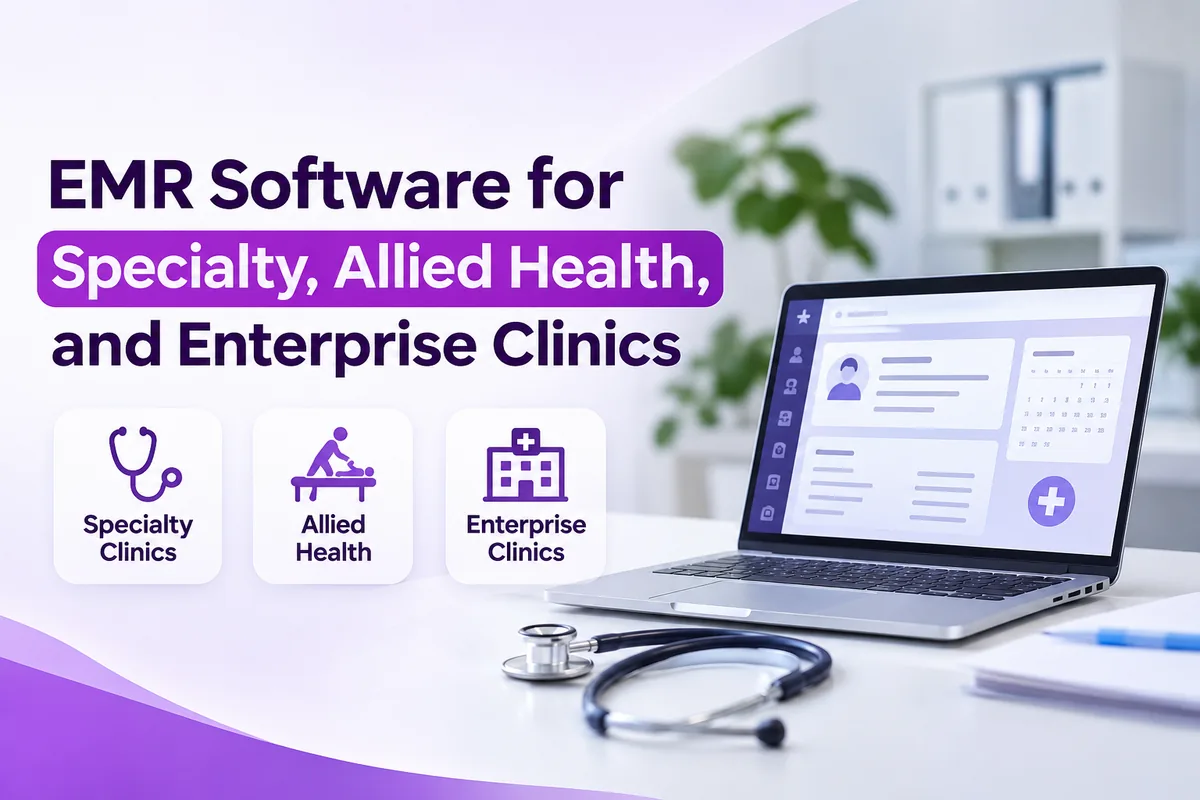
    HealthCluster EMR
    Workflow overview
    Practice Overview
    01 Patient records
    02 Appointments
    03 Clinical notes
    Patient management Registration and patient information
    Clinical
    Appointment workflows Scheduling and visit coordination
    Practice
    Clinical documentation Consultation and patient history
    EMR

    Illustrative interface for explaining common EMR workflow areas. This is not a live product screenshot or performance report.

    Specialty Clinic EMR Explained

    What Is a Specialty Clinic EMR Solution?

    A specialty clinic EMR is an electronic medical record system designed to organise patient information, consultations, clinical documentation, appointments and specialty-related workflows. It helps healthcare providers manage patient records in a structured digital environment. For multi-specialty and enterprise practices, it can also support standardised processes across departments and locations, depending on the system’s configuration and integrations.

    Unlike a basic digital record system, a specialty-focused EMR should be evaluated around the clinical requirements of the practice. A dermatology clinic, physiotherapy centre, oncology practice and multi-specialty medical group may all need different forms, documentation structures and operational workflows.

    HealthCluster provides a healthcare technology platform for providers evaluating connected EMR and clinic management workflows. The right configuration should be discussed against your specialty, facility size, operational model and integration requirements.

    Who Should Consider It?

    One EMR Strategy for Different Healthcare Practice Models

    The right EMR should fit your care delivery model. Explore the common practice types that may benefit from specialty-oriented electronic medical records and connected clinic workflows.

    ✚

    Specialty Practice Clinics

    For clinics that focus on a specific medical discipline and need structured patient histories, consultation documentation and specialty-related clinical workflows.

    ♡

    Allied-Health Clinics

    For physiotherapy, rehabilitation, nutrition, psychology and other allied-health practices that need organised patient information, treatment documentation and follow-up workflows.

    ⌂

    Multi-Specialty Clinics

    For healthcare facilities with multiple departments that need coordinated patient journeys, consistent administrative processes and accessible patient records.

    ▦

    Enterprise Practice Groups

    For growing healthcare organisations evaluating standardised workflows, central oversight and consistent processes across multiple facilities.

    +

    Day Care and Outpatient Centres

    For outpatient-focused providers that need to coordinate registration, appointments, consultations, clinical records and related services.

    ◎

    Specialist Medical Groups

    For physician groups seeking a consistent digital approach to patient information, clinical documentation and practice operations.

    Specialty Workflow Requirements

    What Should an EMR for Specialty Practice Clinics Support?

    Specialty practices should assess an EMR based on their individual documentation and patient-care requirements. The following are examples of workflows to evaluate during software selection.

    Specialty EMR

    Dermatology Clinics

    Evaluate skin condition documentation, clinical photography, treatment history, follow-up records and procedure documentation.

    Specialty EMR

    Oncology and Hematology

    Assess longitudinal patient histories, treatment documentation, clinical assessments, follow-up planning and coordination of care.

    Explore Oncology Management Software →
    Specialty EMR

    Cardiology Clinics

    Consider cardiac consultation records, investigation documentation, patient history and follow-up workflows.

    Allied Health

    Physiotherapy and Rehabilitation

    Review assessment records, treatment plans, progress notes, session documentation and patient follow-up requirements.

    Allied Health

    Psychology and Mental Health

    Evaluate structured assessments, consultation notes, care plans, progress documentation and privacy requirements.

    Allied Health

    Nutrition and Dietetics

    Consider nutrition assessments, patient history, dietary plans, review notes and ongoing progress documentation.

    Specialty workflow examples are buyer evaluation criteria, not a representation that every specialty-specific template, device integration or clinical feature is currently available in every HealthCluster configuration. Confirm the required scope before purchase.
    Allied-Health EMR

    How Can EMR Software Support Allied-Health Clinics?

    Allied-health providers often work with recurring visits, structured assessments and ongoing treatment plans. An EMR should help teams maintain a consistent record of each patient’s care journey.

    Structured Patient Assessments

    Organise patient background, assessment information, clinical observations and relevant history in a consistent record.

    Treatment and Follow-Up Documentation

    Document treatment sessions, progress notes, review dates and follow-up recommendations according to the clinic’s workflow.

    Appointment Coordination

    Evaluate scheduling workflows for recurring visits, practitioner calendars, service selection and patient appointment management.

    Connected Practice Administration

    Review how patient registration, billing, clinical records and administrative workflows can work together within the clinic’s technology environment.

    Enterprise Clinic EMR

    EMR for Enterprise Practice Clinics and Multi-Location Healthcare Groups

    Enterprise healthcare groups need more than individual digital patient records. They should evaluate how their EMR supports standardised workflows, operational visibility and coordination between facilities.

    When selecting an EMR for enterprise practice clinics, consider whether the platform can support your organisational structure, facility requirements, user roles and planned growth.

    Multi-Facility Operations

    Evaluate how patient and operational workflows are managed across different clinic locations.

    Role-Based Access

    Assess user roles, access permissions and responsibilities across clinical and administrative teams.

    Consistent Clinical Processes

    Review opportunities to standardise forms, documentation practices and workflows across departments.

    Reporting and Operational Visibility

    Identify the reporting requirements needed by clinic managers, medical leadership and business stakeholders.

    EMR Capabilities to Evaluate

    Essential Areas to Review Before Choosing a Clinic EMR

    Whether you are purchasing an EMR for a specialty practice or an enterprise clinic group, review the following capabilities against your operational requirements.

    01

    Patient Registration and Records

    Review patient demographics, registration, medical history, document management and patient record access.

    02

    Appointment Management

    Assess appointment scheduling, practitioner availability, visit coordination and appointment status management.

    03

    Clinical Documentation

    Evaluate consultation notes, assessments, diagnoses, treatment documentation and clinical history.

    04

    Billing and Revenue Workflows

    Review service billing, invoice workflows, payer requirements and the financial processes relevant to your facility.

    05

    Reporting and Management

    Identify the operational, financial and clinical reports needed by your practitioners and management teams.

    06

    Integration Requirements

    Confirm the required connections with laboratory, imaging, insurance, healthcare exchange and other external systems.

    Compare Before You Buy

    Specialty EMR vs Clinic Management Software

    EMR and clinic management software are related but serve different priorities. Some platforms combine both areas. Buyers should assess the actual functionality included in the proposed solution.

    Evaluation Area Specialty EMR Clinic Management Software
    Primary focus Clinical records and documentation Day-to-day clinic operations
    Patient history Clinical history and consultation records Patient information and administrative records
    Clinical workflows Specialty-related documentation and assessments Clinical and administrative workflow coordination
    Appointments Consultation-related scheduling requirements Appointment and practice scheduling workflows
    Management Clinical record oversight Operational and administrative oversight
    Best suited for Practices prioritising digital clinical records Clinics seeking broader practice operations support

    Buying recommendation: If your requirement includes both clinical records and operational workflows, explore a connected solution rather than evaluating an EMR or clinic management system in isolation.

    Explore Clinic Management Software →
    Healthcare Software Buying Guide

    How to Choose the Right EMR for Your Specialty Clinic in the UAE

    Before investing in EMR software, define your clinical, operational and technical requirements. A structured evaluation can help your team compare vendors and avoid selecting a system that does not fit your actual workflows.

    • 1. Identify your specialty requirements Document your consultation process, clinical forms, assessments, treatment records and follow-up requirements.
    • 2. Review the complete patient journey Assess registration, appointments, consultations, investigations, billing and follow-up processes.
    • 3. Check configuration flexibility Ask how specialty-specific forms, workflows and user permissions can be configured.
    • 4. Evaluate integrations List required laboratory, imaging, payer, healthcare exchange and third-party connections. Confirm availability and scope.
    • 5. Review privacy and security Ask about access controls, audit trails, data protection, hosting arrangements, backup and recovery processes.
    • 6. Understand implementation and support Confirm migration scope, onboarding, staff training, support responsibilities and the proposed rollout plan.
    • 7. Assess reporting requirements Identify the reports and dashboards required by clinicians, clinic managers and enterprise leadership.
    • 8. Plan for future growth Consider additional facilities, specialties, users, services and integration requirements.
    Implementation Planning

    What Does a Specialty Clinic EMR Implementation Involve?

    A successful EMR implementation starts with understanding how your clinic works. The project scope should be agreed before configuration, testing and go-live.

    1

    Requirements Assessment

    Document specialties, users, facilities, workflows, reporting and integration needs.

    2

    Solution Planning

    Review the proposed modules, configuration scope, responsibilities and implementation plan.

    3

    Configuration and Testing

    Validate agreed workflows, user access, data migration and required integrations.

    4

    Training and Go-Live

    Prepare users, confirm readiness and coordinate the agreed deployment and support process.

    UAE Healthcare Market

    EMR Software for Specialty Clinics Across the UAE

    Healthcare providers across the UAE have different operational, clinical and regulatory requirements. When evaluating an EMR, consider your facility location, licensing context, data handling responsibilities, healthcare information exchange requirements and payer workflows.

    Dubai

    Assess the requirements of specialty practices, outpatient centres and multi-specialty clinics operating in Dubai.

    Abu Dhabi

    Review the applicable local healthcare information exchange, facility and operational requirements before implementation.

    Sharjah and Northern Emirates

    Evaluate patient management, clinical documentation and practice workflows based on your facility’s operating model.

    For UAE healthcare providers, regulatory and integration requirements should be confirmed with the relevant authorities and implementation stakeholders. Do not assume that a software feature alone establishes regulatory compliance.

    Reference: UAE Government health and fitness information .

    HealthCluster

    Explore a Connected Healthcare Technology Platform

    HealthCluster is a healthcare technology platform from iTack Solutions. Its healthcare solution portfolio covers areas such as EMR, HIS, dental solutions, laboratory information management, revenue cycle management and other digital healthcare workflows.

    For specialty and enterprise clinics, the next step is to map your requirements against the relevant available modules, configuration options and integration scope.

    ▣

    Electronic Medical Records

    Explore digital patient records and clinical documentation workflows for healthcare providers.

    Explore EMR →
    Frequently Asked Questions

    Specialty Clinic EMR Software FAQs

    Answers to common questions from healthcare providers evaluating specialty EMR and enterprise clinic management software.

    What is the best EMR for specialty practice clinics?

    The best EMR for a specialty practice is one that fits its clinical documentation, patient journey, appointment and operational requirements. Compare specialty workflows, configuration flexibility, integrations, reporting, privacy controls and implementation support before selecting a vendor.

    What should an EMR for allied-health clinics include?

    An EMR for allied-health clinics should be evaluated for patient registration, structured assessments, treatment documentation, appointment coordination, progress records and follow-up workflows. Specific requirements vary by discipline and clinic.

    Can one EMR support multiple medical specialties?

    A multi-specialty EMR may support different departments through configurable workflows and documentation structures. Buyers should confirm whether the required specialty forms, templates and clinical processes are available and included in the proposed implementation scope.

    What is the difference between specialty EMR and clinic management software?

    Specialty EMR focuses on digital clinical records and documentation. Clinic management software focuses on broader practice operations, such as appointments and administrative workflows. Some platforms combine both, so compare the actual modules and features offered.

    Is EMR software suitable for multi-location clinic groups?

    It can be suitable when the platform supports the organisation’s facility structure, user roles, operational workflows and reporting requirements. Confirm multi-location capabilities, data access arrangements and implementation scope with the vendor.

    How do I select EMR software for a clinic in the UAE?

    Start by documenting your specialties, patient workflows, facility requirements, integrations, data protection needs and reporting expectations. Then request a workflow-based demonstration and confirm implementation, training, support and applicable local requirements.

    Does HealthCluster support specialty and enterprise clinic requirements?

    HealthCluster offers healthcare technology solutions covering EMR and clinic-related workflows. The exact specialty configuration, modules, integrations and enterprise scope should be reviewed with the HealthCluster team against your requirements.

    How can I request an EMR demonstration for my clinic?

    Contact HealthCluster and share your clinic type, specialties, number of facilities, user requirements and key workflows. This helps the team understand your needs and discuss an appropriate product demonstration.

    Looking for the Right EMR for Your Specialty Clinic?

    Discuss your clinical workflows, specialty requirements, practice management needs and future expansion plans with the HealthCluster team.

    Request a Consultation →
  • Healthcare CRM Software for Connected Patient Relationships

    Healthcare CRM Software for Connected Patient Relationships

    Healthcare CRM · Patient Relationship Management · UAE

    Healthcare CRM Software for Connected Patient Relationships

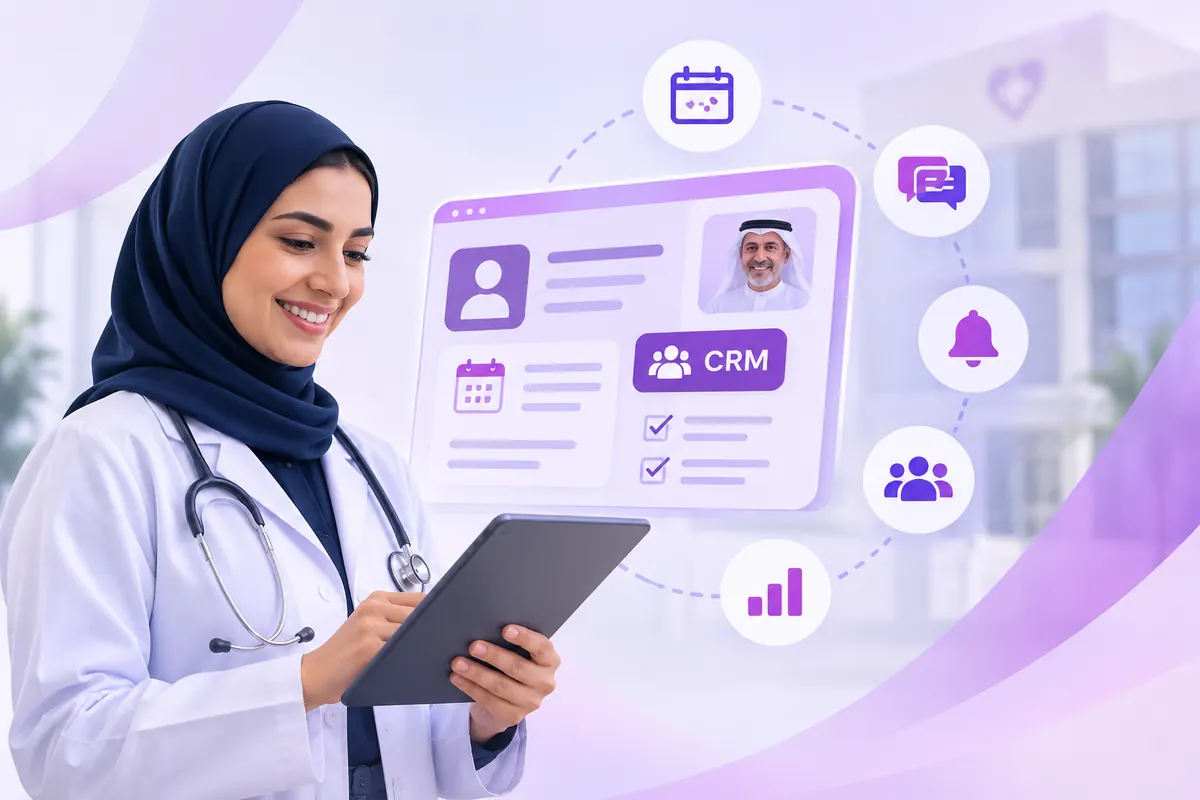
    Manage patient engagement, enquiries, follow-ups and communication workflows through a structured healthcare CRM approach. Explore how healthcare CRM can work alongside EMR, clinic management and oncology applications to support connected patient relationships.

    Healthcare-Focused Workflows EMR and Clinic Context UAE Healthcare Market
    Healthcare CRM Overview Illustrative patient relationship dashboard
    CRM WORKFLOW
    PATIENT RELATIONSHIP JOURNEY
    01 Enquiry
    02 Contact
    03 Follow-up
    04 Appointment
    HEALTHCARE CRM AREAS
    ♙
    Patient Enquiry Management Enquiry records and communication history
    ▣
    Appointment Coordination Patient appointment follow-up workflows
    ✉
    Patient Communication Communication and engagement records
    ▥
    Management Insights Enquiry and relationship reporting
    Illustrative CRM interface. Actual product features and integrations depend on the selected HealthCluster configuration.
    What is healthcare CRM software?

    Healthcare CRM software helps hospitals, clinics and specialty practices manage patient enquiries, communication, engagement, appointment follow-ups and relationship workflows. When connected with an EMR or clinic management system, it can help teams coordinate patient-facing activities with relevant healthcare information.

    Patient EngagementCommunication Workflows
    Clinic OperationsEnquiry Coordination
    Specialty CareOncology and Hematology
    Connected SystemsEMR and Clinic Management
    Healthcare CRM UAE

    Manage Patient Relationships Beyond Basic Contact Management

    Healthcare organisations communicate with patients at many stages: from an initial enquiry and appointment request to follow-up, ongoing treatment coordination and future visits.

    When communication records are spread across spreadsheets, disconnected applications and individual team inboxes, it can become difficult to maintain a consistent view of patient interactions.

    A healthcare CRM approach brings these relationship activities into a structured process. It can help administrative and patient-facing teams organise enquiries, track communication history and coordinate follow-up responsibilities.

    • Organise patient enquiries and contact records.
    • Coordinate appointment-related follow-ups.
    • Maintain communication history.
    • Support specialty-specific engagement workflows.
    • Review enquiry and relationship activity.
    • Assess integration with EMR and clinic systems.
    Discuss Your Healthcare CRM Requirements →
    01
    Patient Enquiry Management

    Organise incoming enquiries and maintain relevant contact information.

    02
    Communication History

    Maintain a structured record of patient-related interactions.

    03
    Follow-up Coordination

    Organise follow-up responsibilities and communication activities.

    04
    Appointment Engagement

    Coordinate enquiry-to-appointment communication workflows.

    05
    Relationship Reporting

    Review relevant enquiry, communication and engagement information.

    Healthcare CRM Capabilities

    What Should a Healthcare CRM System Include?

    Evaluate CRM capabilities according to your patient engagement model, facility structure, communication requirements and existing healthcare applications.

    ♙

    Patient Enquiry Management

    Organise enquiries from website forms, telephone calls, referrals and other approved communication channels.

    ▣

    Patient Profile and History

    Maintain relevant relationship records and review available patient information through appropriate system access.

    ✉

    Communication Management

    Coordinate communication activities and maintain interaction records according to organisational policies.

    ▦

    Appointment Follow-ups

    Organise appointment enquiries, follow-up responsibilities and patient communication workflows.

    ♧

    Referral Coordination

    Review referral enquiries, contact details and communication activities across relevant healthcare teams.

    ▥

    CRM Reporting and Insights

    Evaluate enquiry sources, follow-up activity, communication records and relationship management performance.

    EMR CRM Systems

    Connect Healthcare CRM with EMR and Clinic Management Software

    CRM and EMR systems serve different purposes. CRM focuses on patient relationships, enquiries and communication. EMR manages clinical records and patient care documentation.

    When these systems are appropriately connected, healthcare teams can evaluate how patient-facing activities relate to appointment and clinical workflows without treating CRM as a replacement for the medical record.

    • Review CRM and EMR integration requirements.
    • Coordinate enquiry and appointment workflows.
    • Reduce unnecessary duplicate contact records.
    • Define access permissions for different teams.
    • Maintain appropriate separation of CRM and clinical data.
    Explore Clinic Management Software →
    01
    Healthcare CRM

    Patient enquiries, communication and relationship workflows.

    02
    Clinic Management

    Appointments, facility operations and administrative coordination.

    03
    Electronic Medical Records

    Clinical documentation, patient history and care information.

    04
    Billing and RCM

    Patient billing, financial workflows and revenue processes.

    CRM for Oncology and Hematology

    Healthcare CRM Software for Oncology and Hematology Practices

    Oncology and hematology practices coordinate complex patient journeys that may involve consultations, diagnostic investigations, treatment planning, recurring appointments and ongoing communication.

    A specialty-focused healthcare CRM approach can help administrative and patient engagement teams organise enquiries, appointment coordination and follow-up communication across these stages.

    CRM should complement clinical systems. Treatment decisions, diagnoses, prescriptions and clinical documentation must remain within appropriately governed clinical workflows.

    • Manage oncology and hematology patient enquiries.
    • Coordinate consultation and appointment communication.
    • Organise follow-up responsibilities.
    • Maintain relevant patient interaction records.
    • Coordinate administrative communication across departments.
    • Evaluate connection with oncology EMR workflows.
    Explore Oncology Management Software →
    01
    Patient Enquiry and Referral

    Organise enquiries and referral-related communication.

    02
    Consultation Coordination

    Coordinate appointment-related administrative activities.

    03
    Follow-up Communication

    Organise communication and follow-up responsibilities.

    04
    Clinical System Connection

    Assess the appropriate relationship between CRM and oncology EMR.

    Healthcare CRM Buying Guide

    How to Choose the Right Healthcare CRM Software

    Before purchasing a healthcare CRM system, compare its functionality, integration options, security approach, implementation scope and suitability for your organisation.

    01

    Healthcare-Specific Workflows

    Check whether the CRM supports patient enquiries, appointment communication, referral coordination and healthcare teams.

    02

    EMR and HIS Integration

    Review supported interfaces, data synchronisation requirements and integration responsibilities.

    03

    Patient Data Protection

    Evaluate user permissions, auditability, data handling and applicable privacy obligations.

    04

    Specialty Requirements

    Assess whether the solution fits your clinic, oncology, hematology or other specialty workflows.

    05

    Implementation and Training

    Understand configuration, data migration, staff training, deployment and ongoing support.

    06

    Reporting and Scalability

    Review reporting requirements, multi-facility needs and future expansion plans.

    CRM vs EMR vs Clinic Management

    Understand the Difference Before Selecting Healthcare Software

    CRM, EMR and clinic management software support different responsibilities. A healthcare organisation should select the system based on its operational requirements.

    Area Healthcare CRM EMR Clinic Management
    Patient Enquiries Relationship management Patient record context Registration workflow
    Communication Interaction tracking Clinical communication records Administrative coordination
    Appointments Appointment engagement Clinical encounter context Scheduling and calendars
    Clinical Records Not a clinical record replacement Clinical documentation May connect to EMR
    Billing Related enquiry context Clinical service context Administrative billing workflows
    Primary Purpose Patient relationships Clinical information Clinic operations
    Healthcare CRM Implementation UAE

    A Practical Approach to Healthcare CRM Implementation

    A successful CRM implementation starts with understanding how your healthcare organisation manages patient enquiries, communication and follow-up activities.

    01

    Requirements Assessment

    Identify your facility type, departments, users and CRM objectives.

    02

    Workflow Mapping

    Review patient enquiries, communication and appointment processes.

    03

    Configuration Planning

    Define relevant CRM fields, roles, permissions and workflows.

    04

    Integration Assessment

    Review EMR, clinic management and other application requirements.

    05

    Testing and Validation

    Validate user access, data handling and expected workflows.

    06

    Training and Deployment

    Prepare users and coordinate the agreed deployment activities.

    07

    Performance Review

    Review engagement processes, reporting and operational feedback.

    08

    Continuous Improvement

    Identify opportunities to improve workflows and system usage.

    Healthcare CRM Software UAE

    Healthcare CRM Solutions for Organisations Across the UAE

    Hospitals, clinics and specialty practices should assess CRM workflows according to their facility structure, patient engagement model and operational requirements.

    D

    Dubai

    Evaluate healthcare CRM, clinic engagement and EMR integration requirements for Dubai healthcare providers.

    A

    Abu Dhabi

    Assess patient relationship workflows, specialty care coordination and healthcare application connectivity.

    S

    Sharjah

    Review CRM and clinic management requirements for healthcare facilities and medical centres.

    U

    Across the UAE

    Evaluate healthcare CRM implementation requirements for clinics, hospitals and specialty practices.

    Frequently Asked Questions

    Healthcare CRM Software FAQs

    Common questions from healthcare organisations evaluating CRM software, EMR integration and specialty workflows.

    Healthcare CRM software helps hospitals, clinics and specialty practices manage patient enquiries, communication, engagement and follow-up workflows. It supports patient relationship management and can complement EMR and clinic management systems.

    CRM focuses on patient relationships, enquiries and communication. EMR manages clinical documentation, patient history and medical information. Both systems serve different purposes and may be connected where supported.

    Common healthcare CRM capabilities include patient enquiry management, communication history, appointment follow-ups, referral coordination, user permissions and reporting. Requirements vary by healthcare organisation.

    A healthcare CRM approach can support oncology and hematology practices with patient enquiries, consultation coordination, administrative communication and follow-up workflows. Clinical decisions and treatment records should remain within appropriately governed clinical systems.

    Integration may be possible through supported interfaces or APIs. The required connection depends on the systems, data fields, workflows and technical scope agreed by the organisation and software provider.

    Explore Clinic Management Software →

    Healthcare CRM implementation involves assessing requirements, mapping workflows, configuring the solution, reviewing integrations, testing, training users and coordinating deployment.

    CRM can support patient communication related to billing enquiries and administrative follow-ups. Actual invoicing, payments, claims and financial transactions should be managed through the relevant billing or revenue cycle system.

    Explore Revenue Cycle Management →

    Providers should evaluate patient data protection, access permissions, audit requirements, integration capabilities, hosting arrangements and applicable UAE healthcare regulations. Requirements depend on the facility and the information being handled.

    Healthcare CRM pricing depends on users, modules, facilities, integration requirements, deployment model and implementation scope. Request a quotation based on your organisation’s needs.

    Contact HealthCluster and share your facility type, location, current systems, specialty requirements and CRM objectives. The team can discuss the relevant product capabilities and demonstration scope.

    Contact HealthCluster →
    Healthcare CRM Software · UAE

    Ready to Improve Patient Engagement Across Your Healthcare Organisation?

    Explore how healthcare CRM workflows can complement your EMR, clinic management and specialty applications. Discuss your requirements with HealthCluster.

    Request a Healthcare CRM Demo →

    Product features, integration availability and implementation scope are subject to technical and commercial assessment.

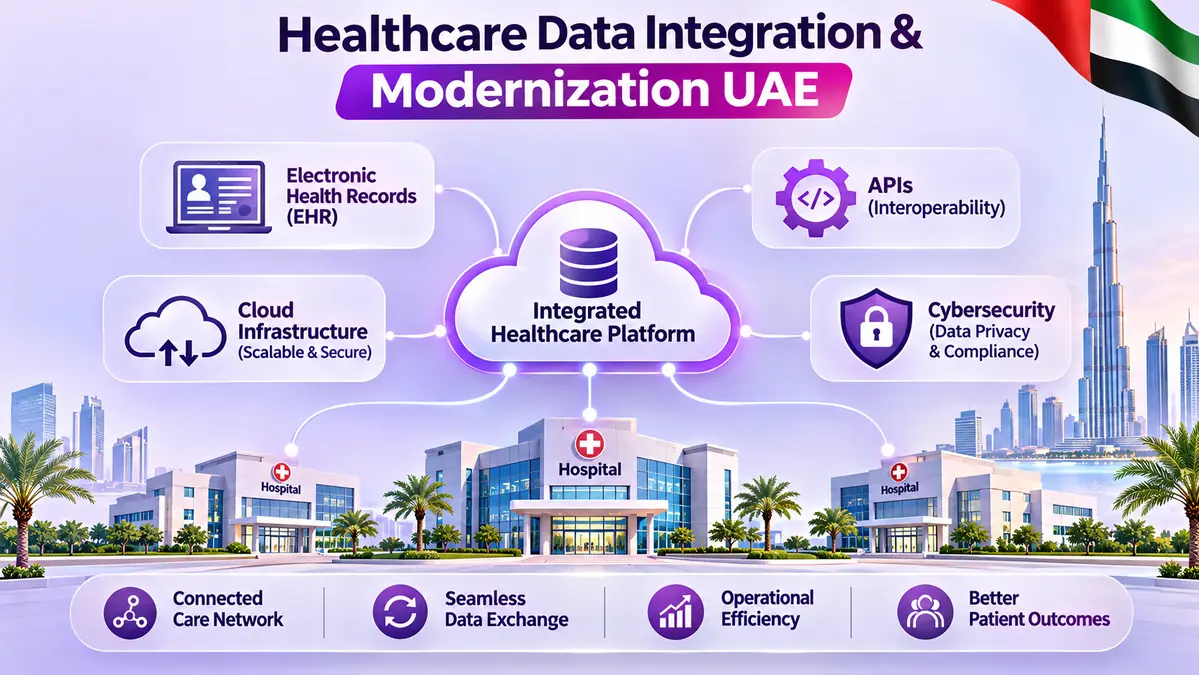
  • Healthcare Data Integration & Modernization UAE

    Healthcare Data Integration & Modernization UAE

    Healthcare Data Integration · Modernization · UAE

    Healthcare Data Integration & Modernization Services UAE

    Connect healthcare applications, modernise legacy systems and improve information exchange across your organisation. HealthCluster helps healthcare providers assess EMR, HIS, LIS, pharmacy, billing and hospital workflow integration requirements.

    Healthcare Application Integration Data Modernization UAE Healthcare Focus
    Healthcare Integration Architecture Illustrative connected healthcare environment
    INTEGRATION
    ▣
    EMR / EHR Patient records
    ▥
    HIS Hospital operations
    ⚗
    LIS Laboratory data
    ₹
    RCM / Billing Financial workflows
    Rx
    Pharmacy Medication workflows
    ▤
    Other Systems Third-party applications
    Healthcare Data Integration Layer Interfaces · Data Mapping · Validation · Exchange
    APIs HL7 / FHIR Data Exchange Workflows
    Conceptual architecture only. Actual connectivity and supported standards depend on the source systems and project scope.
    What are healthcare data integration services?

    Healthcare data integration services connect EMR, HIS, LIS, pharmacy, billing and other healthcare applications so information can move between systems in a structured way. HealthCluster helps healthcare organisations assess connectivity, modernisation and workflow improvement requirements across Dubai, Abu Dhabi and the UAE.

    EMR & HISClinical Applications
    LIS & PharmacyDiagnostic Workflows
    RCM & BillingFinancial Information
    InteroperabilityConnected Systems
    Healthcare Digital Transformation UAE

    Connect Disconnected Healthcare Systems and Improve Data Flow

    Hospitals, clinics and diagnostic centres often depend on several applications to manage patient information, appointments, laboratory results, pharmacy operations and billing.

    When these applications do not communicate effectively, healthcare teams may face repeated data entry, information gaps, delayed workflows and limited operational visibility.

    Healthcare data integration helps organisations connect supported applications and establish more consistent information exchange. Modernisation projects can also improve the architecture and capabilities of existing healthcare applications.

    • Connect EMR, HIS, LIS and other applications.
    • Assess legacy healthcare software.
    • Plan data migration and information mapping.
    • Improve departmental information exchange.
    • Identify hospital workflow automation opportunities.
    • Evaluate healthcare interoperability requirements.
    Discuss Your Integration Project →
    01
    Application Connectivity

    Assess how existing healthcare applications exchange information.

    02
    Healthcare Data Mapping

    Identify data fields, structures, identifiers and validation requirements.

    03
    Legacy System Modernization

    Evaluate existing applications and identify suitable upgrade or migration options.

    04
    Workflow Integration

    Identify opportunities to connect manual and disconnected departmental processes.

    05
    Interoperability Assessment

    Review relevant standards and technical exchange requirements.

    Our Healthcare Technology Services

    Healthcare Data Integration and Modernization Services

    Explore the key service areas healthcare organisations can assess when connecting applications, improving data exchange or planning digital transformation projects.

    ⇄

    Healthcare System Integration

    Assess and connect EMR, HIS, LIS, pharmacy, billing and third-party healthcare applications through supported interfaces.

    ▣

    Healthcare Application Modernization

    Review legacy healthcare applications and identify opportunities for architecture improvements, upgrades and migration.

    ▤

    Healthcare Data Migration

    Plan data extraction, mapping, transformation, validation and migration between supported healthcare systems.

    ⚙

    Hospital Workflow Automation

    Identify repetitive manual tasks and improve coordination between clinical, administrative and financial workflows.

    ⌘

    Healthcare API Integration

    Evaluate API connectivity and integration requirements for healthcare applications and external services.

    ▥

    Healthcare Interoperability

    Assess information exchange requirements, data formats and interoperability considerations for healthcare organisations.

    Healthcare Application Modernization UAE

    Modernise Existing Healthcare Applications Without Unnecessary Complexity

    Healthcare application modernization is the process of improving existing software to support current operational, technical and business requirements.

    It does not always require replacing every application. A targeted upgrade, integration layer, data migration or workflow improvement may be more suitable depending on the existing environment.

    • Legacy EMR and HIS application assessment.
    • Application architecture and technical review.
    • Integration and interface planning.
    • Data migration and validation planning.
    • Scalability and performance considerations.
    • Security and access management review.
    01
    Assess Current Applications

    Understand existing technology, limitations and business needs.

    02
    Identify Modernization Gaps

    Review architecture, workflows, data and integration requirements.

    03
    Plan the Target Environment

    Define suitable upgrades, interfaces, migration and implementation scope.

    04
    Validate the Solution

    Review functionality, data quality and operational requirements.

    Healthcare System Integrators in Dubai

    Connect EMR, HIS, LIS, Pharmacy and Billing Applications

    Healthcare integration connects systems that support different parts of the patient journey and hospital operation.

    ▣

    EMR and HIS Integration

    Connect patient registration, appointments, clinical records, admissions and hospital workflows across supported applications.

    Explore Hospital Information System →
    ⚗

    EMR and LIS Integration

    Assess laboratory order communication, specimen workflows, result exchange and related patient information.

    Rx

    Pharmacy Integration

    Evaluate medication-related workflows and information exchange between pharmacy and clinical applications.

    ₹

    Billing and RCM Integration

    Connect clinical services with billing, invoices, insurance workflows and revenue cycle information.

    Explore RCM Solutions →
    ⌘

    Third-Party Application Integration

    Assess connectivity with external applications using supported APIs, interfaces and agreed technical methods.

    ▥

    Reporting and Data Exchange

    Review information flows and reporting requirements across healthcare departments and applications.

    Hospital Workflow Automation UAE

    Improve Information Flow Across Hospital Departments

    Workflow automation starts by understanding where manual tasks, repeated data entry and disconnected applications affect daily healthcare operations.

    01
    Patient Registration Patient information
    02
    Clinical Orders Care-related requests
    03
    Diagnostics Orders and results
    04
    Billing Service information
    05
    Reporting Operational insights

    Illustrative patient workflow. Actual automation depends on application capabilities and agreed implementation scope.

    UAE Healthcare Interoperability

    Healthcare Data Exchange and Integration Requirements in the UAE

    Healthcare providers should evaluate relevant health information exchange requirements according to their emirate, facility type and applicable regulatory obligations.

    D

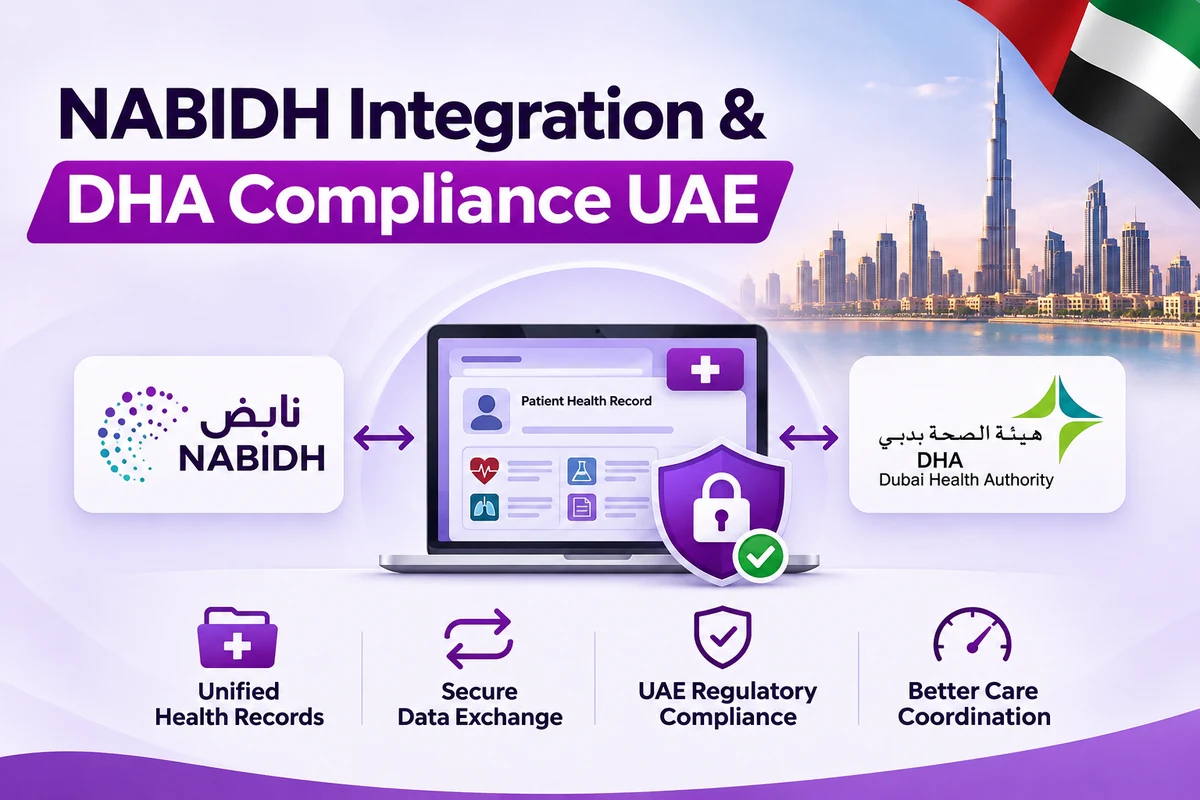
    Dubai: DHA and NABIDH

    Dubai healthcare facilities should assess applicable DHA interoperability and NABIDH data exchange requirements, including technical connectivity and onboarding.

    A

    Abu Dhabi: DOH and Malaffi

    Abu Dhabi healthcare providers should review relevant DOH requirements and Malaffi specifications for their facility.

    U

    UAE: MoHAP and Riayati

    Healthcare facilities should assess applicable MoHAP and Riayati integration requirements for their organisation.

    Important regulatory distinction

    NABIDH, Malaffi and Riayati are health information exchange platforms. DHA, DOH and MoHAP are health authorities. Integration support, technical connectivity, facility onboarding and regulatory approval are separate matters. Each facility should confirm its obligations with the relevant authority or exchange operator.

    Our Project Approach

    A Structured Approach to Healthcare Integration Projects

    Every healthcare integration project starts with understanding the current environment, identifying requirements and defining a practical implementation plan.

    01

    Discovery and Assessment

    Review existing applications, departments, integration needs and business objectives.

    02

    Current-State Analysis

    Assess interfaces, data structures, technical constraints and workflow gaps.

    03

    Integration Planning

    Define architecture, interfaces, data flows, dependencies and project responsibilities.

    04

    Data Mapping and Validation

    Identify data fields, identifiers, formats, validation rules and migration requirements.

    05

    Development and Testing

    Implement agreed interfaces and validate information exchange, errors and expected workflows.

    06

    Deployment and Review

    Plan go-live, user coordination, monitoring and post-deployment review within the agreed scope.

    Who We Support

    Healthcare Data Solutions for Different Healthcare Organisations

    Integration and modernisation requirements differ by organisation. The right approach depends on current systems, data needs and operational objectives.

    ⌂

    Hospitals and Hospital Groups

    Connect hospital applications, clinical workflows, diagnostics, billing and administrative systems.

    ✚

    Clinics and Medical Centres

    Assess patient information exchange, EMR connectivity, appointment and billing workflows.

    ⚗

    Diagnostic and Laboratory Centres

    Review laboratory application connectivity, order exchange, specimen workflows and result communication.

    ♙

    Healthcare IT Departments

    Support application architecture review, interface planning, integration assessment and data migration planning.

    ▥

    Digital Transformation Teams

    Identify opportunities to modernise applications and improve connected healthcare operations.

    ⇄

    Healthcare Technology Providers

    Evaluate third-party application connectivity and interoperability requirements.

    Healthcare Data Solutions UAE

    Healthcare Integration Services Across the UAE

    Healthcare organisations in different emirates may have different integration priorities, exchange requirements and technical environments.

    Dubai Healthcare system integration and NABIDH-related assessment
    Abu Dhabi Healthcare data solutions and Malaffi-related assessment
    Sharjah Healthcare application connectivity
    Ajman Hospital integration and workflow improvement
    Ras Al Khaimah Healthcare data exchange assessment
    Fujairah Application modernisation and information flow
    Umm Al Quwain Connected healthcare applications
    Across the UAE Healthcare technology and integration planning
    Frequently Asked Questions

    Healthcare Data Integration and Modernization FAQs

    Answers to common questions from healthcare organisations evaluating integration, interoperability and modernisation projects.

    Healthcare data integration services connect EMR, HIS, LIS, pharmacy, billing and other healthcare applications so information can be exchanged between supported systems. They may include interface assessment, data mapping, integration planning and testing.

    Healthcare data modernization improves how healthcare information is collected, stored, managed, exchanged and used. It may involve application upgrades, data migration, integration and workflow improvements.

    Healthcare application modernization in the UAE involves assessing and improving existing healthcare software to support current clinical, operational, technical and interoperability requirements.

    Hospitals can connect EMR, HIS and LIS applications through supported APIs, interface engines or agreed data exchange standards. The integration approach depends on the systems, data structures and required workflows.

    Healthcare system integrators assess applications, define integration requirements, plan interfaces, coordinate data mapping, support implementation and test information exchange. Their responsibilities depend on the agreed project scope.

    Healthcare interoperability is the ability of different healthcare systems to exchange and use information in a consistent and meaningful way. It supports information sharing between applications and healthcare providers.

    Dubai hospitals should review applicable DHA and NABIDH interoperability and data exchange requirements. They should also assess patient identification, data quality, technical connectivity, security and facility onboarding obligations.

    Healthcare providers in Abu Dhabi should review applicable Department of Health requirements and Malaffi specifications. Requirements depend on facility type, exchange scope and applicable implementation obligations.

    In some cases, yes. Targeted upgrades, interfaces, data migration or workflow improvements may address specific limitations. A technical assessment helps determine whether integration, modernisation or replacement is most suitable.

    Share your organisation’s location, existing applications, integration requirements and main operational challenges. HealthCluster can discuss the relevant solution areas and potential project scope.

    Contact HealthCluster →
    Healthcare Integration · UAE

    Ready to Connect and Modernise Your Healthcare Technology?

    Discuss your EMR, HIS, LIS, healthcare data exchange and application modernisation requirements with HealthCluster. Start with a conversation about your current systems and integration objectives.

    Request an Integration Assessment →

    Technical feasibility, integrations, standards and implementation scope are subject to assessment and agreement.

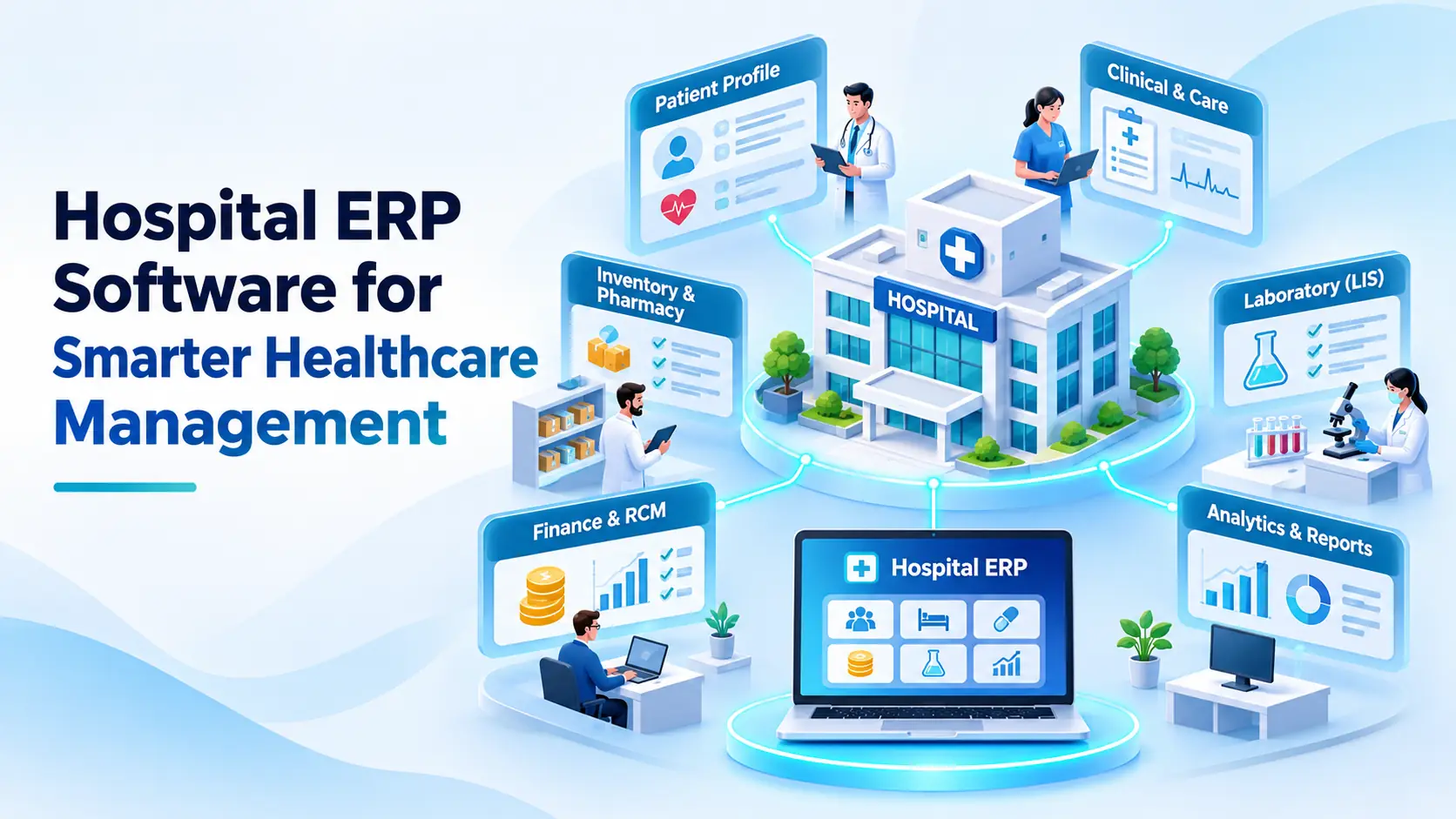
  • Hospital ERP Software for Smarter Healthcare Management

    Hospital ERP Software for Smarter Healthcare Management

    Hospital ERP Software · Healthcare ERP UAE

    Hospital ERP Software for Smarter Healthcare Management

    Connect hospital finance, procurement, inventory, pharmacy, billing and administrative operations through an integrated healthcare technology platform. HealthCluster brings enterprise hospital workflows together with EMR and HIS capabilities for healthcare organisations in the UAE.

    Integrated Hospital Operations Financial Workflows UAE Healthcare Focus
    Hospital ERP Overview Illustrative enterprise management dashboard
    ERP PLATFORM
    Enterprise Operations Connected
    Management Platform ERP + HIS
    ₹
    Finance Accounting workflows
    ▤
    Procurement Purchase management
    ▦
    Inventory Stock management
    Rx
    Pharmacy Medication operations
    ♙
    Human Resources Workforce administration
    ▥
    Reporting Business insights
    Illustrative ERP dashboard. Actual module availability and integration scope depend on the selected configuration.
    Finance Financial Management
    Operations Department Coordination
    Resources Inventory & Procurement
    Healthcare EMR & HIS Integration
    Hospital ERP UAE

    Manage Hospital Resources, Finance and Operations in One Connected Environment

    Hospitals manage multiple departments, resources, suppliers, financial activities and clinical services every day. When these functions operate through disconnected systems, administrators may struggle to maintain a consistent view of hospital operations.

    Hospital ERP software helps connect business and administrative processes. When integrated with an HIS and EMR, it can link financial and operational activities with the clinical services delivered across the hospital.

    • Manage financial and accounting workflows.
    • Coordinate purchasing and supplier activities.
    • Monitor inventory and stock movement.
    • Connect pharmacy and healthcare operations.
    • Organise billing and revenue cycle activities.
    • Access operational and financial reporting.
    Explore Hospital Management Software →
    ₹
    Financial Management

    Coordinate accounting, financial records and hospital business activities.

    ▤
    Procurement Management

    Organise purchasing requirements, purchase orders and supplier coordination.

    ▦
    Inventory Management

    Monitor stock records, item movement and inventory requirements.

    Rx
    Pharmacy Operations

    Connect medication and pharmacy-related operational workflows.

    ▥
    Business Reporting

    Review financial and operational information for management.

    ERP vs HIS

    Hospital ERP vs Hospital Information System: What’s the Difference?

    Both systems support hospital management, but they focus on different business and healthcare workflows. An integrated environment connects the two.

    Business Area Hospital ERP Focus HIS / EMR Focus
    Finance Accounting and financial management Patient billing and service charges
    Procurement Purchase orders and supplier processes Clinical and departmental requisitions
    Inventory Stock and resource management Clinical and pharmacy stock usage
    Human Resources Employee and workforce administration Clinical staff workflow coordination
    Patient Care Business support for healthcare operations Registration, OPD, IPD and EMR
    Reporting Financial and business reporting Clinical and operational reporting

    An integrated hospital platform connects business operations with patient care processes, helping departments work with more consistent information.

    Hospital ERP Modules

    Essential Hospital ERP Software Modules

    Evaluate the business and operational modules your hospital needs to coordinate resources, financial activities and departmental processes.

    ₹

    Financial Management & Accounting

    Organise financial transactions, accounting workflows, expense records and financial reporting for hospital administration.

    ▤

    Procurement Management

    Coordinate purchase requests, purchase orders, suppliers, approvals and procurement activities.

    ▦

    Inventory Management

    Manage inventory records, stock receipts, stock issues, transfers and stock monitoring.

    Rx

    Pharmacy Management

    Support medication inventory, pharmacy operations and coordination with patient care workflows.

    ♙

    Human Resources Management

    Organise employee information, staff records, department structures and workforce administration.

    ₹

    Billing & Revenue Cycle Management

    Connect healthcare services with billing, insurance workflows, payment tracking and revenue reporting.

    Explore Healthcare RCM →
    ▣

    Asset Management

    Evaluate equipment records, asset tracking, maintenance activities and resource allocation requirements.

    ▥

    Management Reporting

    Review business activity, financial information, resource utilisation and operational reports.

    ⇄

    Multi-Department Coordination

    Connect relevant administrative and operational information across departments and hospital facilities.

    Integrated Healthcare Technology

    Connect Hospital ERP With EMR and HIS Workflows

    ERP manages important business processes. HIS and EMR support patient care and clinical operations. Connecting these systems can reduce information gaps between hospital departments.

    HealthCluster offers an integrated healthcare technology environment covering hospital information systems, electronic medical records, revenue cycle management and related healthcare capabilities.

    • Connect patient services with billing workflows.
    • Coordinate pharmacy and inventory activities.
    • Link clinical operations with financial processes.
    • Review hospital-wide operational information.
    • Evaluate integration requirements between modules.
    Explore HealthCluster HIS →
    01
    Hospital ERP

    Finance, procurement, inventory and administrative workflows.

    02
    Hospital Information System

    Hospital departments, patient journeys and operational processes.

    03
    Electronic Medical Records

    Patient profiles, clinical documentation and medical histories.

    04
    Revenue Cycle Management

    Billing, claims-related workflows and financial reporting.

    Connected Business Workflow

    How Hospital ERP Connects Departmental Operations

    A connected workflow helps departments coordinate requests, approvals, resources and financial information.

    01
    Department Request Resource requirement
    02
    Procurement Purchase processing
    03
    Inventory Stock management
    04
    Finance Financial records
    05
    Reporting Management review

    Illustrative business process. Actual workflows depend on ERP configuration and organisational policies.

    Healthcare ERP Software UAE

    Hospital ERP Software for Healthcare Organisations in the UAE

    Healthcare organisations in the UAE need to evaluate financial, administrative, clinical and integration requirements when selecting an enterprise healthcare platform.

    01

    Dubai

    Evaluate hospital ERP, financial management and HIS requirements alongside applicable DHA and NABIDH integration considerations.

    02

    Abu Dhabi

    Consider hospital operations, financial workflows and applicable DOH and Malaffi interoperability requirements.

    03

    Sharjah

    Evaluate enterprise hospital management, resource planning and operational requirements for healthcare facilities.

    04

    Ajman

    Review financial, inventory, administrative and clinical management requirements for healthcare organisations.

    05

    Ras Al Khaimah

    Assess integrated healthcare operations and resource management requirements for hospitals and medical centres.

    06

    Fujairah & Umm Al Quwain

    Evaluate scalable healthcare technology for clinical, administrative and financial operations.

    Hospital ERP Selection Guide

    How to Choose the Right Hospital ERP System

    A hospital ERP decision should be based on the organisation’s business model, operational requirements and long-term technology strategy.

    01. Module Coverage

    Check finance, procurement, inventory, pharmacy and other required functions.

    02. HIS Integration

    Review how business workflows connect with clinical and patient information.

    03. Financial Reporting

    Evaluate accounting visibility, revenue reporting and financial processes.

    04. User Permissions

    Review role-based access, approval processes and audit requirements.

    05. Procurement Controls

    Assess purchasing workflows, supplier management and approvals.

    06. Inventory Tracking

    Check stock movement, availability, transfers and reporting.

    07. Deployment & Security

    Review hosting, data protection, backups and disaster recovery.

    08. Implementation Support

    Understand configuration, data migration, training and ongoing support.

    UAE Healthcare Integration

    Consider Regulatory and Healthcare Integration Requirements

    Hospital ERP selection should consider the wider healthcare technology environment. Depending on the facility and emirate, your organisation may need to assess healthcare data exchange, insurance, billing, financial and information security requirements.

    HealthCluster’s healthcare technology portfolio includes integration-related capabilities for UAE healthcare providers. The actual scope should be confirmed for the selected modules and facility.

    • NABIDH requirements for applicable Dubai facilities.
    • Malaffi requirements for applicable Abu Dhabi facilities.
    • Riayati requirements where applicable.
    • Healthcare billing and insurance workflows.
    • Data security, access and audit considerations.
    Explore HealthCluster →
    D
    Dubai Healthcare Environment

    DHA and NABIDH requirements for applicable facilities.

    A
    Abu Dhabi Healthcare Environment

    DOH and Malaffi requirements for applicable facilities.

    U
    UAE-Wide Considerations

    Relevant interoperability, security and operational requirements.

    Frequently Asked Questions

    Hospital ERP Software FAQs

    Common questions from healthcare leaders evaluating hospital ERP systems and integrated healthcare management platforms.

    Hospital ERP software is an enterprise management platform designed to coordinate business and administrative processes within a healthcare organisation. Depending on the solution, it can cover finance, accounting, procurement, inventory, pharmacy, human resources and reporting.

    Common hospital ERP modules include financial management, accounting, procurement, supplier management, inventory, pharmacy, human resources, asset management, billing and management reporting. Exact module coverage varies by vendor.

    Hospital ERP focuses mainly on enterprise business operations such as finance, procurement and inventory. HIS focuses on hospital information and healthcare workflows such as patient registration, clinical documentation, OPD, IPD and departmental coordination. Integrated platforms can connect both.

    Yes, depending on the platform and integration scope. An ERP system may connect with EMR workflows to link patient services, billing, inventory and other operational information. Confirm supported interfaces and workflows with the vendor.

    Financial accounting is a common ERP capability. Healthcare organisations should evaluate general ledger, expense tracking, financial reporting and the accounting functions supported by the selected product configuration.

    Many healthcare ERP systems support purchasing, purchase orders, supplier records, stock receipts, inventory transfers and stock monitoring. The available workflows depend on the software modules.

    Hospital ERP software can support UAE healthcare organisations when its functions, integrations, security controls and implementation approach meet their requirements. Hospitals should assess applicable local healthcare, financial and information exchange obligations before selecting a system.

    HealthCluster’s healthcare technology portfolio includes hospital information systems and business-related capabilities such as financial accounting, inventory, pharmacy and revenue cycle management. Confirm the specific ERP modules and configuration required for your hospital during a demonstration.

    Hospital ERP pricing depends on the number of users, modules, facility size, branches, integrations, deployment model, customisation and implementation requirements. Request a tailored quotation based on your hospital’s needs.

    Explore Healthcare Software Pricing →

    Visit the HealthCluster contact page and share your facility type, location, number of departments and required ERP modules. The team can discuss the relevant healthcare software configuration and demonstration.

    Request a Hospital ERP Demo →
    HealthCluster · Hospital ERP · UAE

    Bring Your Hospital’s Business and Healthcare Operations Together

    Explore an integrated healthcare technology platform for hospital finance, inventory, procurement, billing, EMR and HIS workflows. Discuss your organisation’s ERP requirements with HealthCluster.

    Book Your Hospital ERP Demo →

    Module availability, integrations and implementation scope should be confirmed during product assessment.

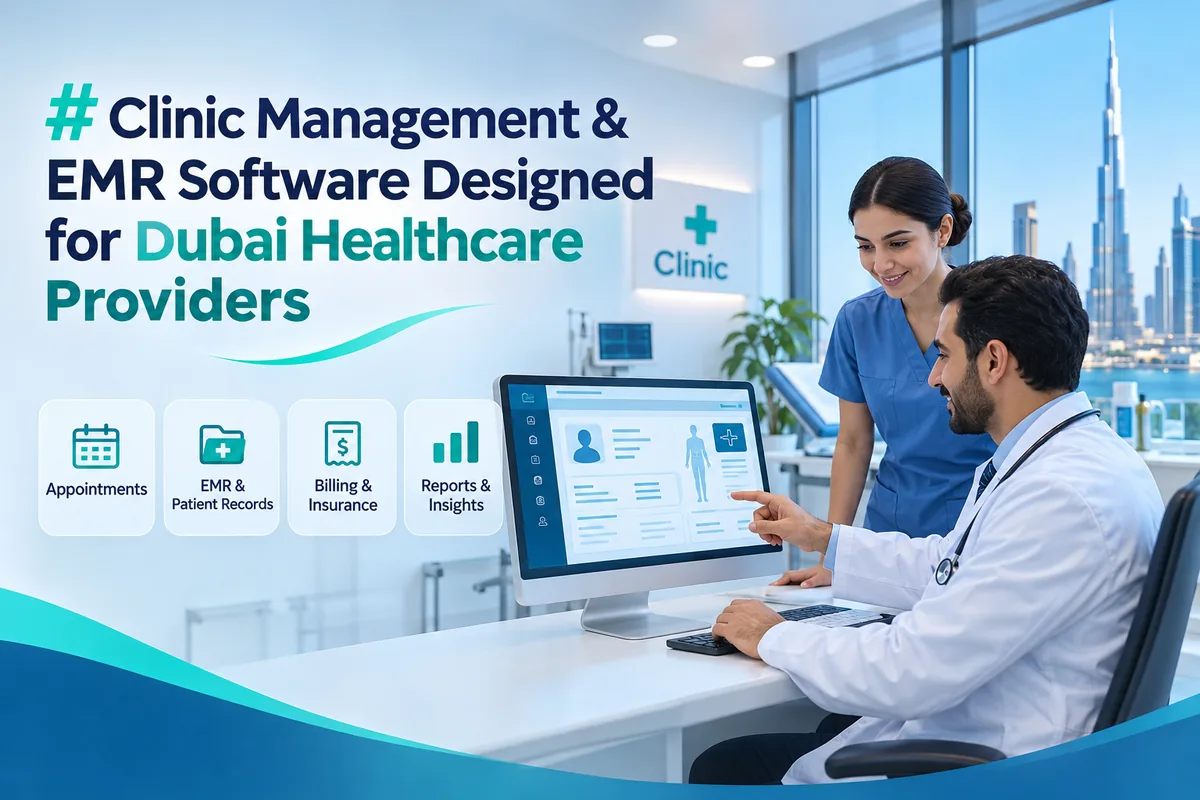
  • Clinic Management & EMR Software Designed for Dubai Healthcare Providers

    Clinic Management & EMR Software Designed for Dubai Healthcare Providers

    EMR Software Dubai · UAE Healthcare Technology

    Clinic Management & EMR Software Designed for Dubai Healthcare Providers

    Manage patient registration, appointments, electronic medical records, doctor consultations, billing and clinic operations through Health Cluster’s integrated healthcare software. Support your Dubai clinic with connected clinical and administrative workflows in one platform.

    Electronic Medical Records Clinic Management UAE Integration Focus
    Clinic Management Overview Illustrative healthcare workflow
    EMR PLATFORM
    Patient Management EMR
    Clinic Operations HIS

    Connected Patient Journey

    01
    Patient Registration Patient profile and demographics
    ✓
    02
    Appointment & Check-in Doctor schedule and visit management
    ✓
    03
    Doctor Consultation Clinical notes and diagnosis
    ✓
    04
    Billing & Follow-up Invoices and patient journey
    ✓
    Illustrative interface. Actual modules and workflows depend on selected configuration and implementation scope.
    DubaiHealthcare Providers
    Medical CentresMulti-Specialty Clinics
    HospitalsConnected Clinical Operations
    Specialty ClinicsSpecialty EMR Workflows
    Clinic Software Dubai

    Bring Your Entire Clinic Operation Into One Connected System

    Running a clinic in Dubai involves coordinating reception, doctors, nurses, billing teams and diagnostic services. Disconnected applications can make it difficult to manage patient information and daily operations.

    Health Cluster provides clinic management software with integrated EMR capabilities to help healthcare providers organise patient journeys, clinical documentation and administrative processes.

    • Centralised patient registration and profiles.
    • Doctor appointments and schedule management.
    • Electronic medical records and consultation notes.
    • Prescriptions, laboratory and radiology workflows.
    • Billing, invoices and revenue cycle processes.
    • Operational reporting and management visibility.
    Explore Clinic Management Software →
    ▣
    Patient Management Software

    Manage registration, demographics, patient profiles and visit history.

    ▦
    Appointment Management

    Organise doctor schedules, booking slots, follow-ups and appointments.

    ✚
    Electronic Medical Records

    Maintain clinical notes, diagnoses, allergies and treatment information.

    ₹
    Medical Billing & RCM

    Connect patient encounters with billing and insurance-related workflows.

    ▥
    Reports & Analytics

    Review operational and financial information for management.

    Healthcare Operations

    Common Challenges Faced by Clinics in Dubai

    Modern healthcare providers need connected systems that help reduce operational gaps between clinical, administrative and financial teams.

    ▤

    Manual Patient Records

    Paper-based files and disconnected records make it harder to access complete patient information.

    ◷

    Appointment Coordination

    Managing multiple doctors, schedules and patient bookings can become complicated.

    ⇄

    Disconnected Departments

    Reception, clinical teams and billing departments may work with separate information.

    ₹

    Billing Inconsistencies

    Manual charge entry and disconnected billing processes can create avoidable discrepancies.

    ⌕

    Limited Operational Visibility

    Without organised reporting, administrators may struggle to monitor clinic activity.

    ⚙

    Integration Requirements

    Healthcare facilities need to assess applicable local integration and data exchange requirements.

    EMR Software Features

    Essential Features of Clinic Management Software in Dubai

    Manage important healthcare workflows through integrated EMR and clinic management capabilities.

    ♙

    Patient Registration

    Maintain patient profiles, demographic information, contact details and visit history.

    ◷

    Appointment Scheduling

    Organise doctor availability, appointment slots, bookings and follow-up schedules.

    ▣

    Electronic Medical Records

    Maintain patient histories, diagnoses, allergies, clinical notes and treatment records.

    Explore EMR Software →
    ✚

    Doctor Consultation

    Support consultation documentation, assessments, diagnoses and treatment plans.

    ⚗

    Laboratory Management

    Connect diagnostic orders, laboratory workflows and result management.

    Rx

    Pharmacy Management

    Support prescriptions, medication orders and pharmacy-related operations.

    ₹

    Medical Billing

    Organise invoices, patient payments, service charges and financial records.

    ↗

    Revenue Cycle Management

    Connect clinical services with billing, claims-related workflows and revenue reporting.

    Explore RCM Software →
    ▥

    Reports & Dashboards

    Monitor appointments, patient visits, billing activity and operational information.

    Connected Patient Journey

    Manage the Complete Patient Journey With One EMR

    Coordinate the patient experience from the first appointment through consultation, diagnostics, billing and follow-up.

    01
    Appointment Booking and scheduling
    02
    Registration Patient check-in
    03
    Consultation Clinical documentation
    04
    Diagnostics Orders and results
    05
    Billing Payment and follow-up
    Dubai Healthcare Integration

    Evaluate NABIDH Integration and DHA Requirements for Your Clinic

    Healthcare providers operating in Dubai should consider applicable Dubai Health Authority requirements and NABIDH health information exchange specifications when selecting an EMR.

    Health Cluster offers healthcare integration capabilities and implementation support to help providers assess their applicable technical and operational requirements.

    • Review relevant NABIDH integration specifications.
    • Evaluate patient and clinical data exchange requirements.
    • Assess patient identification and data quality.
    • Review technical connectivity and message validation.
    • Understand facility onboarding and implementation responsibilities.
    Explore NABIDH EMR Integration →
    01
    NABIDH

    Dubai’s health information exchange environment.

    02
    DHA

    Dubai healthcare authority requirements and applicable policies.

    03
    EMR Interoperability

    Review relevant data structures, technical specifications and exchange workflows.

    04
    Facility Readiness

    Coordinate technical assessment, testing and applicable onboarding steps.

    Healthcare Organisations in Dubai

    EMR and Clinic Software for Different Healthcare Providers

    Different facilities need different workflows. Evaluate software according to your organisation’s specialties, services and scale.

    ✚

    General Clinics

    Patient registration, consultations, appointments, prescriptions and follow-up care.

    ▦

    Multi-Specialty Clinics

    Coordinate doctors, departments, clinical records and shared patient journeys.

    ▣

    Medical Centres

    Manage patient operations, diagnostics, billing and multiple clinical services.

    ⌂

    Hospitals

    Connect outpatient, inpatient, nursing and hospital administrative workflows.

    Explore Hospital Information System →
    ✧

    Dental Clinics

    Support dental patient records, treatment plans and specialty workflows.

    Explore Dental Management →
    ⚗

    Diagnostic Centres

    Coordinate laboratory and diagnostic workflows with patient care processes.

    Dubai Healthcare Market

    Healthcare Management Software for Clinics Across Dubai

    Health Cluster supports healthcare organisations evaluating digital clinical and administrative solutions across Dubai’s healthcare market.

    Dubai Healthcare City Healthcare providers and specialty facilities
    Business Bay Clinics and medical centres
    Dubai Marina Outpatient and specialty clinics
    Jumeirah Private clinics and medical practices
    Deira Medical centres and healthcare facilities
    Bur Dubai Multi-specialty and outpatient care
    Al Barsha Clinics and diagnostic facilities
    Jumeirah Lake Towers Private healthcare practices
    Frequently Asked Questions

    Clinic Management and EMR Software Dubai FAQs

    Answers to common questions about selecting clinic management software and electronic medical records in Dubai.

    The right clinic management software depends on your facility’s specialties, patient volume, workflows and budget. Evaluate patient registration, appointment scheduling, EMR, billing, reporting, integration requirements and implementation support before choosing a solution.

    Common features include patient registration, appointment scheduling, electronic medical records, doctor consultations, prescriptions, diagnostics, billing, reporting and user access management. Additional requirements depend on your facility type.

    EMR software focuses on digital patient records and clinical documentation. Clinic management software covers broader operational workflows such as registration, scheduling, billing and administration. An integrated platform can provide both capabilities.

    Applicable Dubai healthcare facilities should review DHA and NABIDH requirements relevant to their facility category and licence. Confirm the required integration scope and onboarding obligations with the relevant authority.

    Yes. An integrated EMR and clinic management platform can connect appointment scheduling, patient registration, consultation records, clinical documentation and follow-up workflows, depending on its configuration.

    Multi-specialty clinic software can support different departments, practitioners and clinical workflows. Confirm that the selected system supports the templates and specialty-specific functionality required by your facility.

    Integrated clinic systems can connect patient visits, service charges, invoices and relevant insurance workflows. The exact capabilities depend on the selected modules and integration scope.

    Cloud-based EMR software may be suitable depending on the clinic’s infrastructure, hosting requirements, security controls, data protection obligations, connectivity and business continuity needs. Review these areas with your software provider.

    Visit the Health Cluster contact page and share your facility type, location, specialties and software requirements. The team can discuss the relevant solution and arrange a product demonstration.

    Health Cluster · Dubai · UAE

    Ready to Upgrade Your Clinic With Integrated EMR Software in Dubai?

    Connect patient management, clinical documentation, appointments and healthcare operations through Health Cluster. Request a demonstration to explore the right solution for your facility.

    Book Your Free EMR Demo →

    Integration availability, regulatory requirements and implementation scope should be confirmed for each healthcare facility.

  • NABIDH Integration & DHA Compliance UAE

    NABIDH Integration & DHA Compliance UAE

    NABIDH Integration · DHA · DOH · UAE

    NABIDH-Ready EMR & HIS Integration for UAE Healthcare Providers

    Prepare your healthcare facility for UAE health information exchange requirements with HealthCluster’s integrated EMR and Hospital Information System. Organise clinical workflows, patient records and interoperability requirements through one connected healthcare platform.

    EMR & HIS Workflows Data Exchange Assessment UAE Healthcare Focus
    Healthcare Interoperability
    Integration architecture overview
    INTEGRATION
    Healthcare Platform EMR / HIS
    Exchange Environment UAE HIE
    Clinic / Hospital Clinical workflows
    →
    HealthCluster EMR / HIS
    →
    Exchange Applicable HIE
    Conceptual integration overview. Actual technical connectivity and supported exchange workflows are subject to scope and validation.
    DubaiDHA / NABIDH
    Abu DhabiDOH / Malaffi
    Connected WorkflowsEMR and HIS
    InteroperabilityIntegration Planning
    Healthcare Integration Challenges

    Is Your EMR Ready for UAE Healthcare Data Exchange Requirements?

    Healthcare providers need more than digital patient records. Their systems must support applicable interoperability, data quality and information exchange requirements.

    ▣

    Disconnected Patient Records

    Patient information may remain spread across different systems, making connected clinical workflows difficult.

    ⇄

    Integration Difficulties

    Existing software may not support the required data structures or exchange specifications.

    ⌕

    Inconsistent Clinical Data

    Incomplete records and inconsistent terminology can affect information quality.

    ▤

    Manual Administrative Work

    Teams may spend additional time preparing and reviewing information for exchange.

    ⚙

    Unclear Onboarding

    Facilities need clarity about technical responsibilities, validation and onboarding steps.

    ↗

    Changing Requirements

    Healthcare systems should be reviewed against current applicable standards and specifications.

    UAE Healthcare Authorities

    Understand NABIDH, DHA and DOH Requirements

    Different emirates operate within different healthcare authority and health information exchange environments. Your facility location and licence determine which requirements you need to assess.

    DUBAI HEALTH INFORMATION EXCHANGE

    NABIDH

    NABIDH is Dubai’s Health Information Exchange platform. It supports the exchange of medical information between connected healthcare providers.

    Healthcare providers should assess facility onboarding, interoperability and applicable data exchange standards.

    Explore NABIDH Resources →
    DUBAI HEALTH AUTHORITY

    DHA

    The Dubai Health Authority establishes healthcare policies and standards for facilities under its jurisdiction.

    EMR selection should consider applicable DHA policies and NABIDH interoperability requirements.

    Visit DHA Official Website →
    ABU DHABI HEALTHCARE EXCHANGE

    DOH / Malaffi

    The Department of Health Abu Dhabi oversees healthcare requirements in the emirate. Malaffi is Abu Dhabi’s Health Information Exchange.

    Facilities should assess applicable DOH requirements and Malaffi connection processes.

    Explore Malaffi Requirements →
    HealthCluster EMR & HIS

    One Integrated Healthcare Platform for UAE Clinical Operations

    HealthCluster brings clinical, administrative and operational workflows together. Healthcare organisations can manage patient information and coordinate their integration requirements through a connected healthcare platform.

    • Integrated patient demographics and medical history.
    • Structured clinical documentation and encounters.
    • Diagnosis, prescription and clinical order workflows.
    • Laboratory and radiology workflows.
    • OPD, IPD, nursing and pharmacy operations.
    • Integration assessment and technical planning.
    Explore HealthCluster HIS →
    ▣
    Integrated Patient Records

    Organise patient demographics, encounters, history and clinical information.

    ✚
    Clinical Documentation

    Manage assessments, diagnoses, prescriptions and clinical results.

    ⇄
    Interoperability Planning

    Assess integration specifications, data structures and technical dependencies.

    ⚙
    Healthcare Operations

    Coordinate administrative, clinical and operational processes.

    ▥
    Information Governance

    Review permissions, information handling and audit requirements.

    NABIDH Integration Requirements

    What Should Your EMR Support for NABIDH Integration?

    Assess the following technical and operational areas before selecting or integrating an EMR with the applicable UAE health information exchange platform.

    Requirement Area What to Evaluate Business Importance
    Facility Onboarding Facility registration and eligibility Establishes the applicable onboarding route
    EMR Interoperability Required exchange specifications Supports system connectivity
    Clinical Data Structured patient and clinical information Improves data consistency
    Patient Identity Accurate demographic information Supports reliable patient identification
    Clinical Documents Applicable document structures Supports information exchange
    Security and Access Authentication and permissions Supports information protection
    Testing and Validation Technical testing and message validation Identifies integration issues
    Go-Live Readiness Facility and vendor coordination Supports implementation planning
    Implementation Approach

    From EMR Assessment to Integration Readiness

    A structured implementation approach helps your facility identify technical gaps and prepare for the applicable onboarding process.

    01

    Facility Assessment

    Review your facility type, location, licence, existing EMR and applicable exchange requirements.

    02

    Technical Gap Analysis

    Evaluate data structures, interoperability capabilities, security and integration dependencies.

    03

    Integration Planning

    Define technical scope, responsibilities, architecture and implementation milestones.

    04

    Configuration & Testing

    Configure agreed workflows and conduct applicable technical validation and testing.

    05

    Onboarding Coordination

    Coordinate with the facility and relevant exchange stakeholders during onboarding.

    06

    Go-Live Support

    Coordinate deployment and monitor the agreed integration workflows.

    Healthcare Organisations

    EMR Integration for Different Healthcare Facility Types

    Review integration and interoperability requirements according to your facility’s clinical and operational environment.

    Hospitals

    Inpatient, outpatient, nursing, pharmacy, laboratory and radiology workflows.

    Medical Centres

    Patient registration, consultations, diagnoses, prescriptions and follow-ups.

    Dental Clinics

    Dental records, odontograms, treatment plans and imaging workflows.

    Diagnostic Facilities

    Laboratory orders, specimen tracking, results and reporting workflows.

    Common Questions

    NABIDH, DHA and DOH Integration FAQs

    Understand the important considerations before choosing a healthcare information system for your UAE facility.

    NABIDH integration connects a healthcare facility’s EMR or HIS with Dubai’s Health Information Exchange platform. It supports the exchange of relevant patient health information according to applicable requirements.

    The term is commonly used by healthcare providers searching for an EMR that can support NABIDH integration and applicable requirements. Buyers should confirm actual integration status, technical capabilities, validation evidence and facility onboarding requirements.

    DHA has issued requirements concerning the onboarding of applicable healthcare facilities to NABIDH. Facilities should review current requirements applicable to their licence and facility category.

    NABIDH is Dubai’s Health Information Exchange platform, while Malaffi is Abu Dhabi’s Health Information Exchange platform. They operate within their respective emirate healthcare environments and have different facility onboarding requirements.

    An EMR should be evaluated against applicable DHA policies and NABIDH interoperability standards. Areas include structured clinical information, patient identification, data quality, information security and integration validation.

    The applicable requirements depend on the facility type and current DOH standards. Facilities should review Malaffi connection requirements, technical connectivity and applicable minimum datasets.

    Potentially, yes. The existing EMR must be assessed for interoperability capabilities, supported data formats, technical architecture and applicable NABIDH specifications. The final approach depends on the system and facility requirements.

    There is no single timeline for every facility. Duration depends on facility readiness, EMR capabilities, data quality, technical validation and the relevant onboarding process.

    Request a product demonstration and share your facility location, licence type, existing EMR and integration requirements. The team can discuss the relevant assessment and implementation scope.

    HEALTHCLUSTER · UAE

    Looking for a NABIDH-Ready EMR or DHA / DOH Integration Solution?

    Discuss your facility’s integration requirements with HealthCluster. Explore our EMR and HIS workflows and identify the right next steps for your healthcare organisation.

    Book Your Integration Demo →

    Authority approval, facility onboarding and technical acceptance are subject to the applicable authority and exchange operator.

  • Dermatology Clinic Software for Modern Dermatology Practices

    Dermatology Clinic Software for Modern Dermatology Practices

    Dermatology Practice Technology

    Dermatology Clinic Software for Modern Dermatology Practices

    Manage dermatology consultations, patient records, skin assessments, clinical documentation, appointments and billing with integrated dermatology clinic software.

    Explore dermatology EMR capabilities for clinics and healthcare providers in the UAE and international markets.

    What Should Dermatology Software Manage?

    • Patient registration and medical histories
    • Dermatology consultation management
    • Skin assessment and clinical notes
    • Electronic Medical Records (EMR)
    • Treatment and follow-up documentation
    • Appointment and scheduling workflows
    • Billing and operational reporting
    Digital Dermatology Management

    Dermatology Clinic Software for Better Practice Management

    Dermatology clinics manage a wide range of patient services, including skin consultations, acne treatment, hair and scalp assessments, pigmentation concerns, skin condition monitoring and follow-up appointments.

    Managing these activities requires accurate patient information, organized clinical documentation, appointment coordination and efficient administrative workflows.

    Dermatology Clinic Software helps healthcare providers bring these activities together through a centralized digital platform. Instead of depending on disconnected applications and manual records, clinics can organize patient information, consultations, treatment documentation and billing in one environment.

    Whether you operate a dermatology clinic in the UAE or are researching dermatology clinic software in the UK, selecting a platform that supports your clinical and operational requirements is essential.

    Explore Dermatology EMR Software by EMR Healthcluster to learn more about digital clinical and administrative workflows for dermatology practices.

    Dermatology Clinic Software UAE and UK: What Providers Should Consider

    Dermatology practices in different markets may have different operational, administrative and regulatory requirements. However, accurate patient records, clinical documentation, appointment management and billing remain important across locations.

    Dermatology Clinic Software UAE

    Dermatology clinics in the UAE should evaluate software based on their clinical workflows, patient management requirements, applicable healthcare regulations and integration needs.

    Providers in Dubai, Abu Dhabi and Sharjah may also need to consider the relevant local healthcare environment and applicable health information exchange requirements.

    Dermatology Clinic Software UK

    Dermatology providers researching software in the UK should assess clinical documentation, patient confidentiality, access controls, practice workflows and applicable UK data protection requirements.

    Organizations should independently verify whether a software provider meets the specific technical, operational and regulatory requirements applicable to their practice.

    Software Capabilities

    Key Features of Dermatology Clinic Management Software

    The right dermatology management platform should connect clinical documentation with appointment, patient and administrative workflows.

    01

    Patient Registration

    Maintain patient profiles, contact information, medical histories and consultation records.

    02

    Dermatology EMR

    Maintain structured clinical documentation, diagnoses, treatment details and progress notes.

    03

    Appointment Scheduling

    Organize dermatology consultations, follow-up appointments and clinic schedules.

    04

    Clinical Documentation

    Record skin assessments, clinical observations and treatment plans.

    05

    Billing Management

    Manage consultation charges, invoices, payments and financial records.

    06

    Reporting and Analytics

    Review appointments, patient activity, services and financial performance.

    How Dermatology EMR Software Supports Clinical Workflows

    1. Patient Registration and Medical History

    A centralized patient management system helps clinics maintain patient demographics, medical histories, allergies, medications and previous consultation details.

    2. Dermatology Consultation Documentation

    Dermatology EMR software can help healthcare professionals document consultation notes, clinical observations, diagnoses and treatment recommendations.

    3. Skin Assessment and Follow-Up Records

    Organized clinical documentation helps providers maintain records of patient assessments and follow-up consultations. Where supported by the platform, relevant images and attachments can also be associated with patient records.

    4. Treatment Plan Management

    Structured documentation helps authorized healthcare professionals maintain treatment plans, medication details and patient progress information.

    5. Appointment and Follow-Up Management

    Digital scheduling helps administrative teams organize initial consultations, follow-up appointments and other dermatology services.

    6. Billing and Financial Workflows

    Integrated billing can connect consultations and delivered services with invoices, payments and financial records.

    Buyer Selection Guide

    How to Choose the Best Dermatology Clinic Software

    Selecting dermatology clinic software requires more than comparing feature lists. Clinic owners, medical directors and healthcare IT decision-makers should evaluate how the system supports their actual clinical and administrative workflows.

    Clinical Functionality

    Check whether the system supports dermatology consultations, clinical notes, diagnoses, treatment documentation and patient histories.

    Patient Record Management

    Evaluate how patient records are organized, accessed and maintained across consultations.

    Appointment Management

    Review scheduling features for consultations, follow-up visits and practitioner availability.

    Data Security and Access Controls

    Assess role-based access, user permissions, audit trails and applicable data protection requirements in your operating market.

    Billing and Practice Management

    Consider whether consultation charges, invoices, payments and reporting can be managed through connected workflows.

    Scalability and Integration

    Evaluate whether the platform can support additional practitioners, locations, services and integrations as your practice grows.

    Review the capabilities of Dermatology EMR Software before deciding whether it fits your practice requirements.

    EMR Healthcluster

    Manage Dermatology Practice Workflows with EMR Healthcluster

    EMR Healthcluster provides healthcare management capabilities designed to connect clinical and administrative workflows.

    Healthcare providers can explore patient management, appointment scheduling, Electronic Medical Records, clinical documentation and billing capabilities through a centralized healthcare management environment.

    For dermatology practices, these capabilities can support patient registration, consultation records, treatment documentation and administrative management.

    Clinics should evaluate the available product features against their specific dermatology workflows, operational needs and local regulatory requirements.

    Frequently Asked Questions

    Dermatology Clinic Software – FAQs

    What is the best software for dermatology clinics?

    The best dermatology clinic software depends on the practice’s requirements. Evaluate patient records, consultation documentation, treatment plans, appointment scheduling, billing, security and reporting before selecting a platform.

    What is dermatology EMR software?

    Dermatology EMR software is an electronic medical records solution used to maintain patient information, consultation notes, diagnoses, treatment details and clinical documentation for dermatology practices.

    Can dermatology clinic software manage patient appointments?

    Yes. Depending on the platform, it can support consultation scheduling, follow-up appointments, practitioner calendars and patient appointment records.

    Is dermatology clinic software suitable for clinics in the UAE?

    Dermatology clinics in the UAE can evaluate software based on their clinical workflows, patient management requirements, applicable local regulations and integration needs.

    What should UK dermatology clinics consider when choosing software?

    UK clinics should evaluate clinical functionality, patient record management, access controls, confidentiality, data protection requirements, integrations and practice workflows.

    Can dermatology EMR software support multiple clinic locations?

    Multi-location support depends on the platform. Clinics should verify user permissions, location management, centralized reporting and patient record access before implementation.

    Dermatology Practice Solutions

    Looking for Dermatology Clinic Software?

    Explore EMR Healthcluster and discover how integrated patient management, clinical documentation, appointment scheduling and billing can support your dermatology practice.

    Explore Dermatology EMR → Contact Health Cluster
  • Radiology EMR Software for Hospitals & Imaging Centres in UAE

    Radiology EMR Software for Hospitals & Imaging Centres in UAE

    Radiology & Imaging Technology | UAE

    Radiology EMR Software for Hospitals & Imaging Centres in UAE

    Connect radiology workflows, patient records, imaging reports, appointments and billing through an integrated healthcare technology environment. Explore EMR solutions for radiology departments, diagnostic imaging centres and hospitals across the UAE.

    ✓ Patient Records   ✓ Imaging Workflows   ✓ Reporting   ✓ Billing

    What Should Radiology Software Manage?

    • Patient registration and radiology orders
    • Imaging appointments and scheduling
    • Radiology reporting workflows
    • EMR and imaging information access
    • PACS and DICOM integration requirements
    • Radiology billing and RCM workflows
    • Department performance and reporting
    For Hospitals & Imaging Centres

    What Is Radiology EMR Software?

    Radiology EMR software helps healthcare providers organize patient information and clinical documentation related to diagnostic imaging services. Depending on the platform, it may support radiology orders, appointment scheduling, imaging reports, patient records and billing workflows.

    Radiology departments often work with multiple systems, including hospital information systems, radiology information systems (RIS), picture archiving and communication systems (PACS), reporting tools and billing applications. A connected environment can help reduce fragmented workflows and improve access to relevant information.

    For hospitals and diagnostic imaging centres in the UAE, selecting the right radiology EMR software requires more than checking basic patient record functionality. Decision-makers should evaluate reporting workflows, imaging integration, interoperability, financial operations, security and local implementation requirements.

    Explore the product: Visit radiology emr software by Health Cluster to review the solution and discuss your organization’s requirements.

    Radiology Operations

    Why Radiology Departments Need Integrated EMR Software

    Disconnected systems can make it harder to coordinate imaging appointments, patient records, reporting and billing.

    01

    Fragmented Patient Information

    Radiology teams need access to relevant patient details, clinical history, orders and previous reports.

    02

    Imaging Appointment Coordination

    Manage imaging requests, appointment schedules, department capacity and patient attendance.

    03

    Radiology Reporting Workflows

    Organize report creation, review, approval and availability for authorized healthcare professionals.

    04

    PACS and Imaging Connectivity

    Evaluate how imaging studies, images and reports connect across RIS, PACS and EMR environments.

    05

    Billing and Revenue Management

    Connect imaging services with charges, invoices, payments and relevant insurance workflows.

    06

    Limited Department Visibility

    Give management teams better visibility into imaging activity, reporting workflows and financial operations.

    Software Capabilities

    Essential Features of Radiology EMR Software

    Evaluate these capabilities when comparing radiology software for your hospital or diagnostic imaging centre.

    01

    Patient Registration

    Maintain patient demographics, medical information and relevant clinical records.

    02

    Radiology Orders

    Manage imaging requests and connect orders with relevant patient and clinical information.

    03

    Imaging Appointment Scheduling

    Coordinate appointments, imaging resources, patient visits and department schedules.

    04

    Radiology Reporting

    Organize report preparation, review, approval and access to finalized imaging reports.

    05

    Imaging History

    Provide authorized users access to relevant previous imaging studies and reports.

    06

    PACS Integration

    Evaluate the connectivity required to access imaging studies and reports through PACS-related workflows.

    07

    Radiology Billing

    Manage imaging service charges, invoices, payments and financial records.

    08

    Insurance and RCM

    Evaluate eligibility, authorization, claims and revenue cycle workflows for imaging services.

    09

    Reports and Analytics

    Review imaging activity, reporting turnaround, service utilization and financial performance.

    Connected Imaging Journey

    How Radiology EMR Software Supports Imaging Workflows

    A connected workflow can help clinical and administrative teams coordinate imaging services from order to report delivery.

    1Patient RegistrationMaintain patient identity and relevant records.
    2Imaging OrderRecord the requested radiology service.
    3AppointmentCoordinate imaging schedules and resources.
    4Image AcquisitionPerform the imaging procedure through the relevant equipment.
    5Image ManagementAccess imaging studies through configured imaging systems.
    6Report PreparationPrepare and review radiology findings.
    7Report DeliveryMake finalized reports available to authorized users.
    8Billing & ReportingManage charges and review operational performance.
    Imaging Interoperability

    PACS-EMR Integration in Radiology: What Should Hospitals Know?

    PACS and EMR systems serve different but complementary purposes. PACS is used to store, retrieve and distribute medical imaging studies, while an EMR manages broader patient clinical information and documentation.

    PACS-EMR integration can help authorized healthcare professionals access relevant imaging information within the wider patient care workflow. The exact integration depends on the systems involved, supported interfaces and the hospital’s technical requirements.

    Important PACS-EMR Integration Considerations

    • Patient identity and demographic matching.
    • Radiology orders and imaging procedure information.
    • Imaging study availability and retrieval.
    • Access to finalized radiology reports.
    • Relevant DICOM and interoperability requirements.
    • User permissions and audit logging.
    • Integration testing and exception handling.

    What Is DICOM in Radiology?

    DICOM (Digital Imaging and Communications in Medicine) is a standard used for handling and exchanging medical imaging information. Hospitals should assess DICOM compatibility across their imaging equipment, PACS and related systems.

    Before implementation: Ask the vendor to confirm supported PACS products, interfaces, DICOM workflows and the exact scope of EMR integration. Do not assume that every PACS connection is included in a standard EMR package.

    Diagnostic Reporting

    What to Look for in Radiology Reporting Software

    Radiology reporting software helps radiologists and authorized clinical staff prepare, review and manage diagnostic imaging reports. For hospitals and imaging centres, reporting workflows should fit the department’s reporting standards and clinical responsibilities.

    Important Reporting Capabilities

    • Structured and free-text reporting options.
    • Report templates based on imaging modalities and clinical requirements.
    • Report review and approval workflows.
    • Access to relevant patient history and previous reports.
    • Secure report storage and retrieval.
    • Communication of finalized reports to authorized care teams.
    • Reporting workflow monitoring and audit history.

    When evaluating the best radiology reporting software, hospitals should assess clinical usability, reporting templates, integration with RIS and PACS, user permissions and the ability to fit existing radiologist workflows.

    Practice Management & Revenue Cycle

    Radiology EMR, Practice Management & RCM Services

    Radiology departments need more than imaging documentation. Their operational environment also includes appointment administration, patient billing, insurance processes, service pricing and financial reporting.

    Radiology Practice Management

    Practice management capabilities help coordinate patient registration, appointments, provider schedules, imaging service administration and departmental operations.

    Radiology Billing and EHR Software

    Radiology billing workflows may involve procedure charges, invoices, payment tracking, insurance information and financial reconciliation. An integrated environment can help connect these activities with patient and service records.

    Revenue Cycle Management for Radiology

    Revenue cycle management (RCM) focuses on the financial journey of healthcare services, from registration and eligibility checks through billing, claims, payments and reconciliation.

    • Patient and payer information management.
    • Service and procedure charge capture.
    • Eligibility and authorization workflows where applicable.
    • Claims submission and tracking where supported.
    • Payment posting and reconciliation.
    • Financial reports and outstanding balance monitoring.

    Healthcare providers should confirm the available billing and RCM capabilities, payer integrations and local requirements during the software evaluation process.

    UAE Healthcare Market

    Radiology EMR Software UAE: What Hospitals and Imaging Centres Should Consider

    Healthcare providers in the UAE should select radiology EMR software according to their facility location, licensing arrangements, imaging services, information security responsibilities and applicable healthcare authority requirements.

    Healthcare Authority Requirements

    Requirements may differ depending on whether a facility operates in Dubai, Abu Dhabi, Sharjah or another Emirate. Confirm the applicable authority requirements for your facility and its specific services.

    Healthcare Information Exchange

    Evaluate applicable information exchange requirements, including NABIDH for relevant Dubai providers, Malaffi for relevant Abu Dhabi providers and Riayati for applicable UAE settings.

    Patient Data Security

    Assess role-based access, authentication, audit logs, data protection, hosting, backups and relevant healthcare information security requirements.

    Insurance and Billing Workflows

    Confirm whether the system can support your imaging centre’s billing, insurance, authorization and claims requirements.

    Implementation and Support

    Evaluate data migration, system configuration, training, integration testing, technical support and ongoing maintenance.

    Compliance & Interoperability

    Radiology EMR Compliance and Integration Considerations in UAE

    Compliance and interoperability should be considered during radiology software selection, not only after implementation. The requirements depend on the facility’s location, clinical scope, data flows and applicable authority policies.

    DHA and NABIDH – Dubai

    Dubai providers should assess relevant DHA requirements and applicable NABIDH information exchange processes. Confirm the required data scope, interfaces and technical responsibilities.

    DoH and Malaffi – Abu Dhabi

    Abu Dhabi healthcare providers should evaluate applicable Department of Health requirements and relevant Malaffi integration processes.

    MOHAP and Riayati – Relevant UAE Settings

    Facilities operating under relevant MOHAP or local authority arrangements should assess applicable Riayati requirements and their responsibilities for healthcare data exchange.

    Healthcare Information Security

    Review access controls, audit logging, authentication, data hosting, backups and applicable security frameworks, including ADHICS where relevant to the facility.

    Imaging Interoperability

    Evaluate DICOM, HL7 and other relevant interfaces based on the imaging equipment, RIS, PACS and EMR systems involved. Confirm which interfaces are supported and included in the implementation scope.

    Important: An EMR or radiology software purchase does not automatically establish regulatory approval or health information exchange connectivity. Confirm the exact requirements and integration scope with the relevant authority and vendor.

    Software Buying Guide

    How to Choose the Best Radiology EMR Software

    Use this evaluation framework when comparing radiology software vendors for your healthcare facility.

    01. Define Your Imaging Services

    Identify your imaging modalities, department structure, reporting requirements and patient volumes.

    02. Review Clinical Workflows

    Evaluate radiology orders, appointments, reporting, approvals and access to patient history.

    03. Assess PACS Integration

    Confirm DICOM workflows, imaging study retrieval, report availability and interface requirements.

    04. Compare Billing and RCM

    Review service charges, invoicing, insurance workflows, claims and financial reporting.

    05. Check UAE Requirements

    Confirm applicable authority requirements, data protection controls and health information exchange scope.

    06. Request a Live Demonstration

    Ask the vendor to demonstrate your actual radiology workflows and required integrations.

    EMR Healthcluster | Health Cluster

    Why Consider EMR Healthcluster for Radiology Management?

    Explore healthcare software capabilities for hospitals, diagnostic centres and connected clinical operations.

    EMR Healthcluster by Health Cluster provides healthcare software solutions for organizations looking to connect patient information, clinical documentation, hospital operations and financial workflows.

    For radiology departments and imaging centres, the right solution should be evaluated according to imaging workflows, reporting requirements, PACS connectivity, billing operations and integration with the wider healthcare environment.

    Healthcare decision-makers can discuss their operational requirements with the Health Cluster team and evaluate the relevant modules, supported integrations and implementation scope.

    EMR Environment

    Evaluate patient records and clinical documentation within the broader healthcare workflow.

    Hospital Management

    Explore patient administration and operational capabilities across healthcare departments.

    Radiology Management

    Discuss radiology department requirements and the relevant product capabilities.

    Billing & RCM

    Evaluate financial workflows connected with healthcare services and patient billing.

    Healthcare Integration

    Discuss interoperability requirements with the relevant implementation team.

    Implementation Planning

    Review deployment, configuration, training, support and integration scope.

    Explore the product: Visit radiology emr software to learn more about the solution and discuss your facility’s requirements.

    Frequently Asked Questions

    Radiology EMR Software UAE – FAQs

    Answers for radiologists, imaging centre owners, hospital management and healthcare IT decision-makers.

    What software is used in radiology?

    Radiology departments commonly use a combination of Radiology Information Systems (RIS), Picture Archiving and Communication Systems (PACS), imaging equipment software, reporting tools and EMR or HIS platforms. These systems serve different purposes and may be integrated to support patient, imaging and reporting workflows.

    What is the best EMR software?

    The best EMR software depends on the healthcare organization’s specialty, size, workflows, integration needs, reporting requirements and regulatory environment. Hospitals should compare clinical documentation, patient management, interoperability, security, billing integration and vendor support before selecting a platform.

    What is the best radiology reporting software?

    The best radiology reporting software should fit the department’s reporting workflow, support appropriate templates, provide review and approval processes, and integrate with the required RIS, PACS and EMR systems. The right choice depends on the facility’s imaging services and clinical requirements.

    What is radiology EMR software?

    Radiology EMR software helps manage patient records and clinical documentation related to imaging services. Depending on the solution, it may connect radiology orders, appointments, reports, patient information and billing workflows.

    What is the difference between RIS, PACS and EMR?

    RIS manages radiology department information and workflows, PACS stores and distributes medical imaging studies, and EMR manages broader electronic patient records and clinical documentation. Healthcare organizations may integrate these systems to support connected imaging workflows.

    What is PACS-EMR integration in radiology?

    PACS-EMR integration connects relevant imaging information with the wider patient record environment. Depending on the implementation, authorized users may access imaging studies and associated reports through connected workflows.

    What is DICOM in radiology software?

    DICOM stands for Digital Imaging and Communications in Medicine. It is a standard used for handling and exchanging medical imaging information between compatible imaging equipment and healthcare systems.

    Can radiology EMR software support billing and RCM?

    Some healthcare platforms connect radiology services with billing, payments and revenue cycle workflows. Confirm the availability of procedure charge capture, insurance processes, claims and payer integrations with the vendor.

    What should radiology centres in Dubai consider before buying software?

    Dubai radiology centres should evaluate clinical workflows, imaging integrations, reporting, billing, data security and applicable DHA and NABIDH requirements. The exact requirements depend on the facility and its services.

    How can I request a radiology EMR software demo from Health Cluster?

    Visit the Health Cluster radiology management software page or contact the team to discuss your imaging centre or hospital requirements and request a product demonstration.

    Explore Health Cluster

    Explore EMR and Healthcare Software Solutions

    Discover healthcare technology solutions for hospitals, clinics and diagnostic imaging centres.

    For UAE Hospitals & Imaging Centres

    Looking for Radiology EMR Software in UAE?

    Explore EMR Healthcluster and discuss how Health Cluster can support your radiology department’s patient management, imaging workflows, clinical documentation and billing requirements. Request a product demonstration based on your organization’s needs.

    Book Your Radiology Software Demo →
  • Dialysis Management Software UAE – EMR for Hospitals and Dialysis Centres.

    Dialysis Management Software UAE – EMR for Hospitals and Dialysis Centres.

    Healthcare Technology Solutions | UAE

    Dialysis Management Software UAE for Modern Dialysis Centres

    Connect dialysis patient records, treatment documentation, scheduling, clinical workflows and billing through an integrated healthcare software platform. Explore EMR Healthcluster solutions for dialysis centres, hospitals and healthcare groups across the UAE.

    ✓ Patient Records   ✓ Treatment Workflows   ✓ Clinical Documentation   ✓ Billing

    What Should Dialysis Software Support?

    • Dialysis patient registration and profiles
    • Patient treatment history and documentation
    • Dialysis session scheduling
    • Clinical observations and treatment records
    • Machine and resource tracking requirements
    • Billing and insurance workflows
    • Operational reports and management visibility
    For Hospitals & Dialysis Centres

    What Is Dialysis Management Software?

    Dialysis management software is a healthcare technology solution designed to help dialysis centres and hospitals organize patient information, treatment schedules, clinical documentation and administrative workflows.

    Dialysis services involve recurring patient visits, scheduled treatment sessions, clinical assessments, treatment records, resource coordination and billing activities. Managing these processes across disconnected applications can make it difficult for healthcare teams to maintain consistent information.

    A suitable dialysis management system can connect relevant workflows with the wider hospital information system and electronic medical record environment.

    For UAE healthcare providers, selecting the right platform also means evaluating local implementation requirements, patient data protection, interoperability and applicable healthcare authority requirements.

    Explore the product: Visit EMR for Dialysis Management Software by Health Cluster to review the solution and discuss your facility’s requirements.

    Operational Challenges

    Why Dialysis Centres Need Dedicated Management Software

    Dialysis providers need coordinated clinical and administrative processes to manage recurring treatment schedules and patient information.

    01

    Recurring Treatment Schedules

    Coordinate patient appointments, recurring sessions, treatment calendars and available resources.

    02

    Patient Record Management

    Maintain patient demographics, medical history, relevant clinical documentation and treatment records.

    03

    Clinical Documentation

    Organize treatment-related observations, session records, clinical notes and follow-up documentation.

    04

    Resource Coordination

    Evaluate scheduling and tracking requirements for dialysis stations, machines, staff and treatment resources.

    05

    Billing and Insurance

    Connect treatment services with billing, payment and insurance-related administrative workflows.

    06

    Management Reporting

    Improve visibility into patient activity, treatment schedules, service utilization and operational information.

    Software Capabilities

    Essential Features of Dialysis Management Software

    Evaluate these capabilities when selecting dialysis software for your hospital or specialized treatment centre.

    01

    Dialysis Patient Registration

    Maintain patient profiles, demographics, medical history and relevant treatment information.

    02

    Dialysis Session Scheduling

    Coordinate recurring treatment appointments, session calendars and resource availability.

    03

    Clinical Documentation

    Maintain treatment notes, clinical observations, patient assessments and session-related records.

    04

    Treatment History

    Provide authorized staff with access to relevant previous sessions and patient treatment information.

    05

    Machine & Station Management

    Assess the need to coordinate dialysis equipment, stations, utilization and maintenance-related records.

    06

    Nursing & Staff Workflows

    Support staff coordination, assigned responsibilities and treatment documentation processes.

    07

    Billing & Insurance

    Connect dialysis services with billing, invoices, payments and relevant insurance workflows.

    08

    Clinical Reporting

    Organize patient-related and treatment-related information for authorized reporting and review.

    09

    Management Dashboard

    Evaluate operational reports covering sessions, patient activity, resource utilization and service performance.

    Connected Treatment Journey

    How Dialysis Management Software Supports Treatment Workflows

    A connected workflow helps authorized clinical and administrative teams access relevant patient and treatment information.

    1Patient RegistrationCreate a patient profile and record relevant information.
    2Patient AssessmentDocument relevant clinical assessment information.
    3Session SchedulingCoordinate recurring treatment appointments.
    4Resource AssignmentCoordinate available staff and treatment resources.
    5Treatment DocumentationMaintain session-related clinical records.
    6BillingRecord services and relevant financial transactions.
    7Follow-UpMaintain patient history and future session information.
    8ReportingReview operational and treatment-related activity.
    Integrated Healthcare Solutions

    Dialysis Management Software Solutions for Hospitals and Treatment Centres

    Dialysis management software solutions should be evaluated according to the clinical and operational requirements of each facility. A standalone scheduling tool may not be enough for a hospital that needs patient records, billing, clinical documentation and reporting connected across departments.

    Standalone Dialysis Centre Requirements

    Specialized dialysis centres may prioritize patient registration, recurring session scheduling, treatment documentation, resource coordination and billing.

    Hospital-Based Dialysis Department Requirements

    Hospital dialysis departments may need to connect dialysis workflows with the wider HIS and EMR environment, including patient records, clinical documentation, billing and relevant departmental operations.

    Multi-Facility Dialysis Group Requirements

    Healthcare groups may evaluate centralized reporting, consistent patient management processes, facility-level access and operational visibility across multiple locations.

    Clinical and Administrative Integration

    A connected solution should be assessed for how it exchanges relevant information with the hospital’s other systems, including laboratory, pharmacy, billing and clinical records where required.

    Who Can Benefit?

    Dialysis Software for Different Healthcare Facilities

    Evaluate software according to the operating model, patient volume and management requirements of your organization.

    01

    Dialysis Centres

    Manage recurring treatment schedules, patient profiles, session documentation and administrative workflows.

    02

    General Hospitals

    Connect dialysis department operations with wider hospital management and patient record systems.

    03

    Specialty Hospitals

    Evaluate specialized treatment documentation and resource coordination requirements.

    04

    Multi-Specialty Medical Centres

    Coordinate dialysis services with other clinical and administrative departments.

    05

    Healthcare Groups

    Assess multi-facility reporting and consistent operational management capabilities.

    06

    Healthcare IT Teams

    Evaluate integration, data security, hosting, user access and implementation requirements.

    UAE Healthcare Market

    Dialysis Management Software UAE: What Healthcare Providers Should Consider

    Hospitals and dialysis centres in the UAE should evaluate software according to their location, licensing arrangements, clinical scope, information security responsibilities and applicable healthcare authority requirements.

    Healthcare Authority Requirements

    Depending on the facility’s location and scope, providers may need to consider requirements associated with DHA, Department of Health Abu Dhabi, MOHAP or other relevant local authorities.

    Healthcare Information Exchange

    Evaluate whether the system supports the applicable information exchange requirements for the facility. This may involve NABIDH in Dubai, Malaffi in Abu Dhabi or Riayati in relevant UAE settings.

    Patient Data Security

    Assess user permissions, authentication, audit trails, encryption, backup arrangements, data hosting and relevant UAE healthcare data protection requirements.

    Insurance and Financial Workflows

    Confirm that the platform can support the clinic’s required billing, insurance and financial processes, including any necessary integrations.

    Implementation and Support

    Review onboarding, data migration, staff training, technical support, maintenance and the vendor’s ability to support your facility after go-live.

    Important: Healthcare authority requirements and integration scope can vary. Do not assume that purchasing dialysis software automatically makes a facility compliant or connected to a health information exchange. Confirm the exact requirements with the relevant authority and vendor.

    Compliance & Interoperability

    Dialysis Management Software Compliance and Integration Considerations in UAE

    For UAE hospitals and dialysis centres, compliance and interoperability should be part of the software selection process from the beginning. A dialysis management platform may operate as part of a broader hospital EMR or HIS environment, so its data flows and integrations need to be evaluated carefully.

    DHA and NABIDH – Dubai

    Dubai healthcare providers should assess applicable DHA requirements and NABIDH information exchange requirements. Confirm the relevant technical interfaces, data scope and responsibilities for your facility.

    DoH and Malaffi – Abu Dhabi

    Abu Dhabi providers should evaluate applicable Department of Health requirements and relevant Malaffi integration processes. Confirm the system’s supported scope with the implementation team.

    MOHAP and Riayati – Relevant UAE Settings

    Healthcare providers operating under relevant MOHAP or local authority arrangements should assess applicable Riayati requirements and integration responsibilities.

    ADHICS and Healthcare Information Security

    Abu Dhabi healthcare organizations should evaluate applicable ADHICS requirements and the software’s access controls, audit logging, data protection, backup and security practices.

    Interoperability and Data Exchange

    Ask vendors about the interfaces, APIs and standards supported for exchanging relevant patient and clinical information. Confirm the exact requirements and scope rather than assuming every integration is available by default.

    Compliance evaluation: Review your facility’s applicable authority requirements, security responsibilities and integration scope before implementation. Software functionality alone does not establish regulatory approval or compliance.

    Buyer Evaluation Guide

    How to Choose the Right Dialysis Management Software in UAE

    Use these steps to evaluate vendors and select a solution that fits your healthcare organization’s requirements.

    01. Define Clinical Requirements

    Identify patient record, treatment documentation, scheduling and clinical workflow requirements.

    02. Assess Operational Needs

    Review session scheduling, staff coordination, equipment tracking and management reporting needs.

    03. Check Integration Scope

    Evaluate integration with EMR, HIS, laboratory, pharmacy, billing and relevant exchange platforms.

    04. Review UAE Compliance Needs

    Confirm relevant authority requirements, security controls, data hosting and interoperability responsibilities.

    05. Compare Implementation Costs

    Consider modules, users, customization, migration, training, integrations and ongoing support.

    06. Request a Live Demo

    Ask vendors to demonstrate patient registration, treatment scheduling, clinical documentation and reporting workflows.

    EMR Healthcluster | Health Cluster

    Why Consider EMR Healthcluster for Dialysis Management?

    Evaluate an integrated healthcare software environment for hospitals and specialized treatment facilities.

    EMR Healthcluster by Health Cluster provides healthcare software capabilities for organizations looking to connect patient information, clinical documentation, hospital operations and financial workflows.

    For dialysis centres and hospitals, the relevant evaluation is how the dialysis management solution fits into the organization’s clinical and operational environment, including required modules, integration scope and implementation needs.

    Integrated EMR Environment

    Evaluate how patient information and clinical documentation can connect with wider healthcare workflows.

    Hospital Management

    Explore patient administration and operational capabilities across healthcare departments.

    Billing & RCM

    Assess financial and billing workflows connected with healthcare services.

    Diagnostic Workflows

    Evaluate the integration requirements for laboratory and other diagnostic services.

    Operational Reporting

    Review available reporting and management information for healthcare operations.

    Implementation Planning

    Discuss modules, deployment, integration, training and support with the Health Cluster team.

    Explore the product: Visit Dialysis Management Software by Health Cluster to discuss your hospital or dialysis centre’s requirements.

    Frequently Asked Questions

    Dialysis Management Software UAE – FAQs

    Answers for hospital owners, dialysis centre operators, medical directors and healthcare IT teams.

    What is dialysis management software?

    Dialysis management software is a healthcare system designed to help dialysis centres and hospitals manage patient information, treatment schedules, clinical documentation and administrative workflows.

    What features should dialysis management software include?

    Important capabilities to evaluate include patient registration, treatment scheduling, session documentation, clinical records, resource coordination, billing, reporting and integration with the wider hospital information system.

    What is the difference between dialysis management software and a general EMR?

    A general EMR manages broader electronic patient records and clinical documentation. Dialysis management software focuses on the additional scheduling, session and operational requirements of dialysis services. A healthcare platform may connect both areas, depending on its modules and configuration.

    Is dialysis management software available for UAE hospitals?

    Healthcare providers in the UAE can evaluate dialysis-focused software and integrated EMR/HIS platforms according to their clinical requirements, implementation scope and applicable local healthcare authority requirements.

    Can dialysis software integrate with hospital EMR and HIS?

    Integration may connect relevant patient information, clinical documentation, billing and other workflows. The supported scope depends on available interfaces, software configuration and implementation requirements.

    Can dialysis management software support recurring treatment sessions?

    Session scheduling is an important capability to evaluate. Ask the vendor to demonstrate recurring appointment management, schedule changes, resource availability and relevant session documentation.

    Can dialysis software manage dialysis machines and stations?

    Some healthcare workflows may require equipment, station and maintenance tracking. Confirm whether these functions are included in the proposed product or require additional modules or integration.

    What compliance requirements should UAE dialysis centres consider?

    Requirements depend on the facility’s location and scope. Providers should assess relevant DHA, Department of Health Abu Dhabi, MOHAP or local authority requirements, applicable health information exchange processes, data protection and security controls.

    How much does dialysis management software cost in UAE?

    Pricing depends on facility size, users, required modules, deployment model, customization, integrations, implementation and support. Request a quotation based on your operational requirements.

    How can I request a dialysis software demo from Health Cluster?

    Visit the Health Cluster dialysis management software page or contact the team to discuss your facility’s requirements and request a product demonstration.

    Explore More Healthcare Solutions

    Related EMR and Healthcare Software Solutions

    Explore healthcare management and EMR solutions for hospitals and healthcare providers across the UAE.

    For UAE Hospitals & Dialysis Centres

    Looking for Dialysis Management Software in UAE?

    Explore EMR Healthcluster and discuss how Health Cluster can support your dialysis centre’s patient management, treatment documentation and connected healthcare workflows. Request a product demonstration based on your facility’s requirements.

    Book Your Dialysis Software Demo →