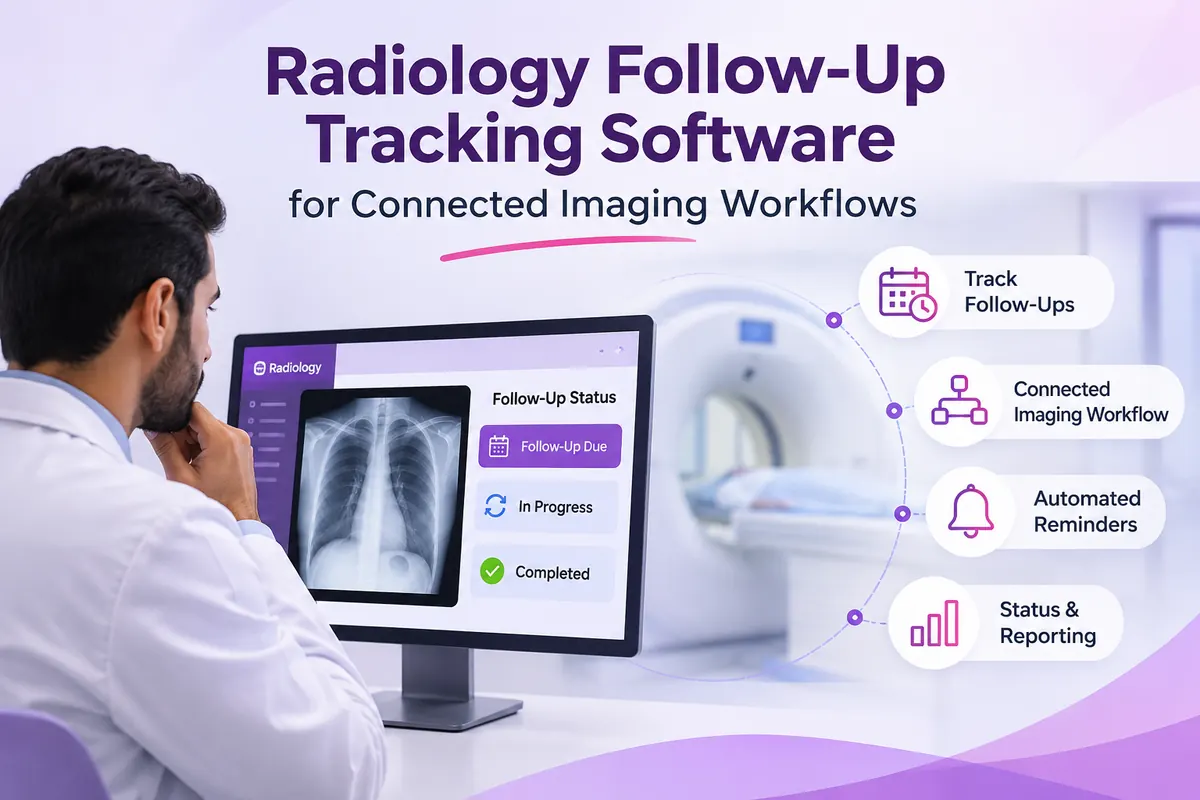
Radiology Follow-Up Tracking Software for Connected Imaging Workflows
Keep radiology orders, imaging appointments, examination progress and patient follow-up workflows organised with a connected radiology management approach.
HealthCluster helps healthcare providers evaluate digital radiology workflows for hospitals, diagnostic departments and outpatient imaging centres. Bring scheduling, examination tracking, reporting and patient information into a coordinated workflow based on your facility’s requirements.
Illustrative workflow concept only. Not a live product screenshot or actual operational dashboard.
What Is Radiology Follow-Up Tracking Software?
Radiology follow-up tracking software helps healthcare teams monitor the progress of imaging orders, appointments, examinations, reports and required next actions. It gives radiology departments a structured way to identify pending steps, coordinate worklists and maintain visibility across the imaging journey. The exact tracking capabilities depend on the software configuration and connected systems.
A radiology workflow can involve several teams, including referring clinicians, radiology coordinators, imaging technologists, radiologists and administrative staff. When these activities are managed across disconnected systems or manual registers, it can become difficult to understand which stage an imaging request has reached.
A connected radiology workflow helps teams review the status of an order, coordinate imaging appointments, track examination completion and identify reports or patient actions that still require attention.
Why Do Radiology Teams Need Better Follow-Up Tracking?
Imaging workflows involve multiple steps. Without clear status visibility, staff may spend additional time checking order progress, appointment availability and pending reports.
Unclear Order Status
Staff may need to contact different teams to confirm whether an imaging order has been received, scheduled, completed or reported.
Missed Follow-Up Actions
Pending examinations, incomplete documentation and reports awaiting review can be difficult to monitor without structured worklists and responsibility tracking.
Scheduling Conflicts
Multiple imaging modalities, practitioner availability and appointment preparation requirements make coordination important.
Disconnected Patient Information
When patient details, clinical orders, imaging studies and reports are separated, teams may need to navigate multiple systems.
Limited Operational Visibility
Managers may find it difficult to review pending work, examination progress, reporting queues and department workload.
Manual Coordination
Phone calls, spreadsheets and paper-based lists can make it harder to maintain consistent communication between clinical and administrative teams.
How Does Radiology Follow-Up Tracking Software Work?
Follow-up tracking should provide a clear view of each imaging request from order entry to examination completion and report availability. A suitable solution should allow teams to identify pending actions and understand who is responsible for the next step.
Radiology Order Received
Capture the imaging request, patient details, referring information and requested procedure.
Appointment Coordination
Review the required modality, appointment availability, preparation requirements and scheduling status.
Examination Tracking
Monitor the examination worklist and update the procedure status according to the agreed workflow.
Report and Follow-Up
Track report completion, review requirements and any next actions that need coordination.
Key Features to Look for in Radiology Follow-Up Software
When comparing radiology follow-up tracking software, assess whether the solution can support the following workflow requirements for your imaging department.
Radiology Order Tracking
Review order status, patient details, requested procedures, referring information and order progress.
Pending Examination Worklists
Identify examinations awaiting scheduling, preparation, performance, completion or further action.
Report Status Visibility
Review whether imaging reports are pending, in progress, verified or available for the next workflow step.
Follow-Up Responsibility
Evaluate options for assigning pending actions, identifying responsible users and recording status updates.
Patient and Encounter History
Review relevant patient information, previous encounters, imaging orders and available reports.
Operational Reporting
Assess reporting for pending orders, appointment status, examination workload and reporting progress.
Radiology Scheduling Software for Imaging Appointments
Radiology scheduling software helps coordinate imaging appointments based on procedure requirements, modality availability and department workflows. It should help staff manage appointment requests and maintain visibility into the imaging schedule.
Modality-Based Scheduling
Evaluate scheduling by imaging modality, procedure type, room availability and operational requirements.
Appointment Availability
Review appointment slots, scheduling conflicts, rescheduling and cancellation workflows.
Patient Preparation
Consider how preparation instructions, screening requirements and appointment reminders are managed by the facility.
Connected Clinical Orders
Evaluate whether appointments remain connected to the original radiology order and patient encounter.
A scheduling solution should be assessed against the imaging centre’s modality mix, operating hours, appointment durations, preparation protocols and staffing model.
Software for Outpatient Imaging Centres
Outpatient imaging centres manage patient appointments and diagnostic procedures outside a traditional inpatient setting. Their software requirements often include registration, order management, scheduling, examination workflows, reporting and billing coordination.
Patient Registration
Organise patient demographics, contact information, referral details and relevant clinical records.
Referral and Order Management
Review referring clinician details, imaging requests, procedure selection and order status.
Imaging Appointment Management
Coordinate patient appointments with modality, room and staff availability.
Examination Workflow
Monitor examination status and coordinate the steps involved in completing an imaging procedure.
Reporting and Image Access
Evaluate report workflows and access to imaging studies through connected systems where supported.
Billing and Revenue Workflows
Review service charges, payer requirements, invoices and financial reporting needs.
Manage Clinical Imaging Data Across the Patient Journey
Clinical imaging data management involves organising the information associated with imaging requests, examinations, studies and reports. A connected workflow should help authorised healthcare teams access the information they need within their defined roles and responsibilities.
Patient and Imaging Order Information
Maintain a clear relationship between patient records, encounters, referring information and imaging requests.
Imaging Study Access
Evaluate access to imaging studies through suitable PACS and imaging integrations.
Radiology Report Management
Review how preliminary, verified and final report information is handled in the workflow.
Historical Imaging Information
Consider access to previous imaging studies and reports where connected systems and permissions allow.
How Do RIS, PACS and EMR Work Together?
RIS, PACS and EMR systems support different parts of the radiology and patient-care workflow. Understanding their roles can help healthcare providers evaluate the right combination of technology.
| System | Main Purpose | Evaluation Consideration |
|---|---|---|
| RIS | Radiology information and workflow management | Orders, appointments, examination status and reporting workflows |
| PACS | Medical image storage, retrieval and viewing | Imaging study access, archive, viewer and image exchange |
| EMR | Electronic patient records and clinical information | Patient history, clinical orders, reports and encounter information |
A connected radiology environment can reduce the need to manage clinical and imaging information in isolation. Buyers should confirm which integrations are available, whether they are bidirectional and what data is exchanged.
Technical reference: DICOM Standard for information about medical imaging data and communication standards.
Radiology Workflow Management for Hospitals and Multi-Facility Groups
Hospitals and enterprise healthcare groups may operate multiple imaging departments, facilities and diagnostic services. Their radiology technology should be evaluated for consistent processes, user responsibilities and operational visibility.
Multi-Facility Workflows
Assess how radiology orders and appointments are coordinated across different facilities.
Role-Based Responsibilities
Review access and workflow responsibilities for radiologists, technologists and administrative staff.
Operational Reporting
Evaluate worklists, pending examinations, reporting progress and management reporting needs.
Integration Planning
Identify connections with EMR, HIS, RIS, PACS, billing and external healthcare systems.
How to Choose the Best Radiology Follow-Up Tracking Software
Before purchasing radiology software, identify your department’s current workflow challenges and the capabilities required to address them. Use these criteria when comparing vendors.
- 1. Radiology Order Lifecycle Check how the software manages order creation, review, scheduling, cancellation and completion.
- 2. Follow-Up Worklists Confirm how pending examinations, reports and next actions are identified and monitored.
- 3. Imaging Scheduling Evaluate modality-based scheduling, availability, rescheduling and preparation workflows.
- 4. RIS and PACS Integration Confirm supported interfaces, image access, DICOM compatibility and integration responsibilities.
- 5. EMR and HIS Connectivity Review how patient information, orders, encounters and reports are exchanged.
- 6. Reporting and Analytics Identify the operational reports and dashboards required by radiology leadership.
- 7. Privacy and Security Review access controls, audit trails, data protection, backup and recovery arrangements.
- 8. Implementation and Support Confirm data migration, configuration, testing, user training and post-go-live support.
Radiology Follow-Up Software vs Manual Tracking
The right system should provide better visibility into imaging workflow stages and help teams coordinate responsibilities. Compare the operational approach before selecting a solution.
| Workflow Area | Manual Tracking | Digital Workflow Approach |
|---|---|---|
| Order status | Manual calls, spreadsheets or registers | Centralised order status view, if supported |
| Appointment management | Separate calendars or manual coordination | Structured appointment workflows |
| Examination worklists | Manually maintained lists | Digital worklists and status updates |
| Report progress | Manual status checks | Report workflow visibility, if integrated |
| Management oversight | Manual consolidation | Structured operational reporting |
Actual results depend on implementation, staff adoption, integrations and the quality of workflow configuration.
Radiology Management Software for Imaging Centres Across the UAE
Healthcare providers in the UAE should assess radiology software against their facility model, imaging services, operational requirements and applicable local regulations. The right implementation scope may differ between hospitals, standalone diagnostic centres and multi-location imaging groups.
Dubai
Evaluate radiology scheduling, examination tracking, reporting workflows and integrations for diagnostic and outpatient imaging facilities.
Abu Dhabi
Review facility-specific requirements, patient data exchange needs and applicable healthcare information governance requirements.
Sharjah and Northern Emirates
Assess patient registration, radiology orders, imaging schedules and reporting workflows based on the operating model of your facility.
Regulatory compliance, data hosting and healthcare information exchange requirements should be verified with the relevant authorities and stakeholders before implementation.
Explore HealthCluster Radiology Management Solutions
HealthCluster is a healthcare technology platform from iTack Solutions. Its healthcare software portfolio covers EMR, HIS, radiology-related workflows, laboratory solutions, revenue cycle management and other digital healthcare requirements.
Healthcare providers can evaluate radiology order management, scheduling, examination worklists, reporting, patient information and integration requirements as part of a connected healthcare technology assessment.
Radiology Management
Explore radiology order management, examination workflows and radiology department requirements.
Explore Radiology Management →Healthcare EMR
Review electronic medical record capabilities and connected patient information workflows.
Explore EMR Software →Revenue Cycle Management
Explore revenue cycle and billing workflows relevant to healthcare service operations.
Explore RCM Software →Related Healthcare Software Solutions
Explore related HealthCluster pages to understand the wider healthcare technology environment.
Radiology Follow-Up Tracking Software FAQs
Common questions from hospitals, radiology departments and outpatient imaging centres evaluating radiology management software.
What is radiology follow-up tracking software?
Radiology follow-up tracking software helps healthcare teams monitor imaging orders, appointments, examination progress, reports and pending actions. It provides a structured way to review workflow status and coordinate the next steps in the imaging process.
What features should radiology follow-up software include?
Evaluate radiology order tracking, pending examination worklists, appointment status, report progress, patient history, follow-up responsibility and operational reporting. Confirm which capabilities are included in the selected software configuration.
What is radiology scheduling software?
Radiology scheduling software helps coordinate imaging appointments based on procedure type, modality availability, staff schedules and facility workflows. It may also support rescheduling, cancellation and patient preparation processes.
What is outpatient imaging center software?
Outpatient imaging centre software supports the operational workflows of diagnostic facilities, including patient registration, referrals, imaging orders, appointments, examination tracking, reporting and billing coordination.
What is clinical imaging data management?
Clinical imaging data management is the organisation and management of information associated with imaging orders, patient encounters, diagnostic studies and radiology reports. It may involve EMR, RIS and PACS systems working together.
What is the difference between RIS and PACS?
RIS supports radiology information and workflow management, such as orders, appointments and reporting. PACS supports medical image storage, retrieval and viewing. They may work together through supported integrations.
Can radiology software integrate with an EMR?
Radiology software may integrate with an EMR to exchange relevant patient information, orders, examination details and reports. Buyers should confirm supported interfaces, data exchange direction, compatibility and implementation scope with the vendors.
How do I choose radiology software for an imaging centre in the UAE?
Start by documenting your imaging modalities, order workflows, appointment requirements, reporting process, integration needs, privacy requirements and operational reporting expectations. Request a workflow-based demo and confirm local implementation responsibilities.
Does HealthCluster offer radiology management software?
HealthCluster has a radiology management solution page covering radiology-related healthcare workflows. The exact available features, configuration, integrations and implementation scope should be confirmed with the HealthCluster team.
How can I request a radiology software demonstration?
Contact HealthCluster and share your facility type, imaging modalities, number of locations, current systems, integration requirements and main workflow challenges. The team can use these details to discuss a relevant product demonstration.
Ready to Improve Your Radiology Workflow Visibility?
Discuss your radiology follow-up tracking, imaging scheduling, outpatient centre and clinical imaging data management requirements with HealthCluster.
Request a HealthCluster Demo →
Leave a Reply